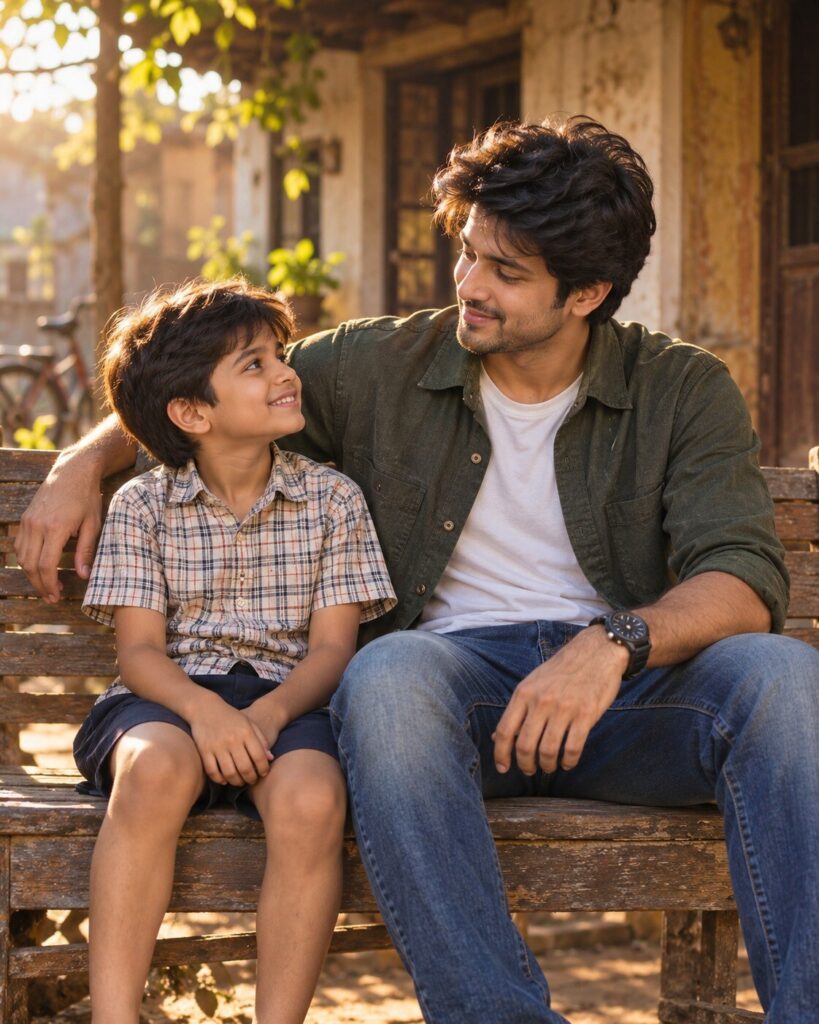
Meet Your Younger Self — Childhood Memory Portrait
♡ 6Create a photorealistic portrait of your present self meeting your childhood self in a nostalgic memory scene while preserving recognizable identity across both ages.
Two reference images of the same person at different ages, exact identity consistency, adult self and childhood self together, nostalgic family-memory portrait, old wooden bench, warm late-afternoon light, natural interaction, realistic age difference, authentic childhood environment, photorealistic skin, cinematic photography, emotional but restrained expression, subtle depth of field, 4:5.
Two reference images of the same person at different ages, exact identity consistency, adult self and childhood self together, nostalgic family-memory portrait, old wooden bench, warm late-afternoon light, natural interaction, realistic age difference, authentic childhood environment, photorealistic skin, cinematic photography, emotional but restrained expression, subtle depth of field, 4:5.
Create an ultra-realistic past-and-present portrait using the uploaded adult and childhood reference images. The two people must clearly be the same individual at different ages. Preserve recognizable facial identity at both ages without blending the faces together. Adult sitting beside childhood self on a simple wooden bench, gentle hand on shoulder, natural eye contact, subtle smiles, nostalgic home or school environment, warm window light, realistic shadows, detailed skin texture, authentic clothing, physically accurate anatomy, emotional restraint, shallow depth of field, cinematic photographic realism, 4:5.
Use the uploaded current portrait and childhood photograph as identity references for the same person. Create a photorealistic emotional scene showing the adult version sitting beside their younger self on an old wooden bench in a familiar childhood environment. Preserve recognizable facial identity and distinctive features at both ages. The adult should look naturally older while the child should remain authentically childlike, without blending the two faces. Have the adult gently rest a hand on the child's shoulder while they look at each other with subtle natural expressions. Use warm late-afternoon sunlight, realistic skin texture, age-appropriate clothing, natural shadows, nostalgic surroundings and cinematic photographic depth. The result should look like a genuine photograph of an impossible meeting between past and present. Vertical 4:5.
different people, unrelated child, generic child face, generic adult face, facial identity drift, blended faces, merged faces, altered adult identity, altered childhood identity, incorrect age progression, exaggerated aging, changed skin tone, changed eye shape, changed facial proportions, distorted anatomy, extra limbs, extra fingers, malformed hands, unnatural body proportions, creepy expressions, forced smile, artificial pose, plastic skin, excessive beauty retouching, cartoon, anime, illustration, CGI, fantasy environment, excessive sentimental effects, heavy glow, excessive blur, watermark, text, logo
Works with
✦GPT Image 2.5✦GPT Image 2✦Gemini image models✦Midjourney✦FLUX
Comments