Dreamy Cozy Study Reading Nostalgic Monochrome
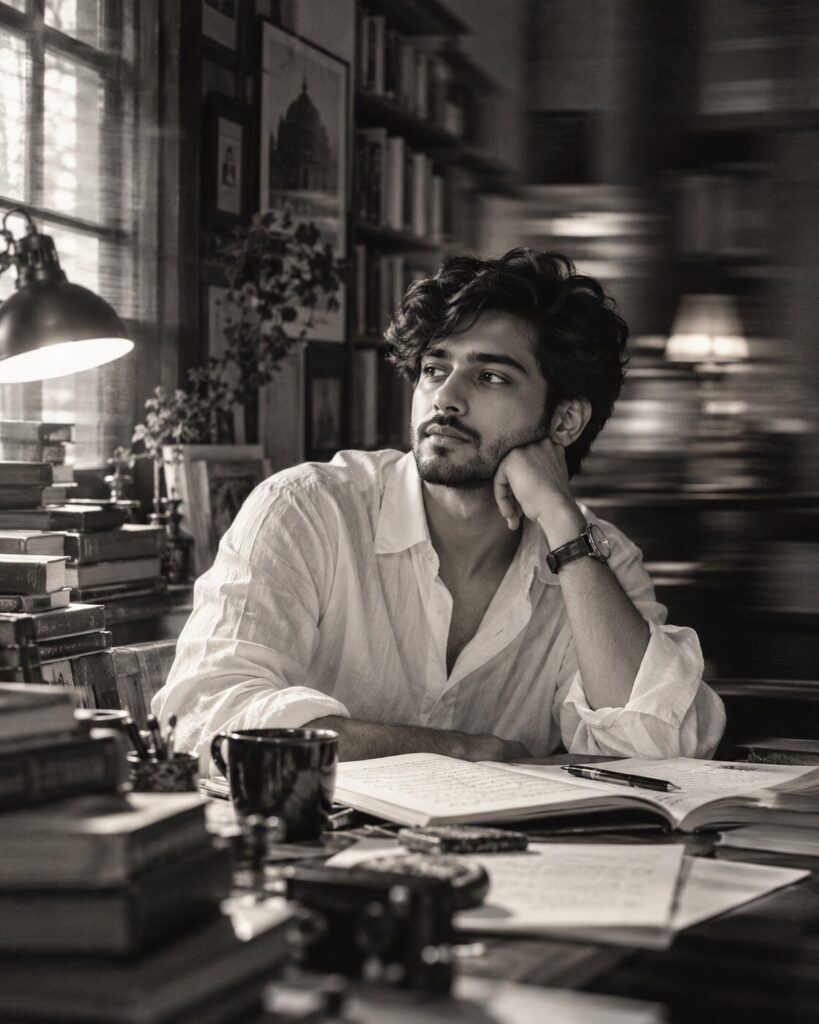
♡ 6Create a nostalgic monochrome study portrait from your uploaded photo with books, soft window light, analog film grain and controlled motion blur.
Create a photorealistic nostalgic monochrome portrait using the uploaded reference image as the exact identity source. Preserve the same recognizable person, facial structure, facial proportions, eyes, eyebrows, nose, lips, jawline, cheeks, skin tone, natural age, hairline, hairstyle and distinctive facial details. Place the subject in a cozy book-filled study wearing a loose white collared shirt. Add stacks of books, open notebooks, papers and a warm reading lamp. Use soft side window light, deep detailed shadows, controlled horizontal slow-shutter motion blur around the background and clothing, while keeping the face and eyes sharp. Fine black-and-white film photography, authentic silver-gelatin tonal range, natural pores, subtle grain, gentle halation, realistic optics, candid editorial composition, sophisticated literary atmosphere.
Create a photorealistic nostalgic monochrome portrait using the uploaded reference image as the exact identity source. Preserve the same recognizable person, facial structure, facial proportions, eyes, eyebrows, nose, lips, jawline, cheeks, skin tone, natural age, hairline, hairstyle and distinctive facial details. Place the subject in a cozy book-filled study wearing a loose white collared shirt. Add stacks of books, open notebooks, papers and a warm reading lamp. Use soft side window light, deep detailed shadows, controlled horizontal slow-shutter motion blur around the background and clothing, while keeping the face and eyes sharp. Fine black-and-white film photography, authentic silver-gelatin tonal range, natural pores, subtle grain, gentle halation, realistic optics, candid editorial composition, sophisticated literary atmosphere.
Create a sophisticated black-and-white analog portrait of the exact person from the uploaded reference image inside a cozy study filled with books and papers. Preserve the persons exact recognizable identity and facial characteristics. Use soft side window light, a subtle reading lamp, a thoughtful candid pose, controlled horizontal motion blur in the background and peripheral clothing, while keeping the face and eyes sharp. Fine film grain, realistic skin texture, rich monochrome tones, natural photographic imperfections and premium literary editorial photography.
Transform the uploaded reference photo into a sophisticated photorealistic black-and-white film portrait of the same person in a cozy book-filled study. Preserve the exact facial identity and natural features. Show the person reading or pausing thoughtfully among books, notebooks and papers, illuminated by soft side window light and a subtle reading lamp. Add restrained horizontal motion blur to the background and clothing while keeping the face sharp. Use authentic monochrome film tones, natural skin texture, delicate grain and realistic analog photographic character.
identity drift, different person, generic face, altered facial structure, changed facial proportions, different eyes, changed nose, changed lips, altered jawline, changed cheeks, changed skin tone, changed age, different hairstyle, altered hairline, blurry face, blurred eyes, excessive motion blur, face streaking, plastic skin, waxy skin, over-smoothed skin, excessive beauty retouching, cartoon, anime, illustration, CGI, 3D render, digital painting, extreme HDR, crushed blacks, blown highlights, artificial grain, excessive vignette, distorted anatomy, malformed hands, extra fingers, duplicate person, text, logo, watermark
Works with
✦ChatGPT Images✦Gemini✦Midjourney✦Flux✦SDXL
Comments