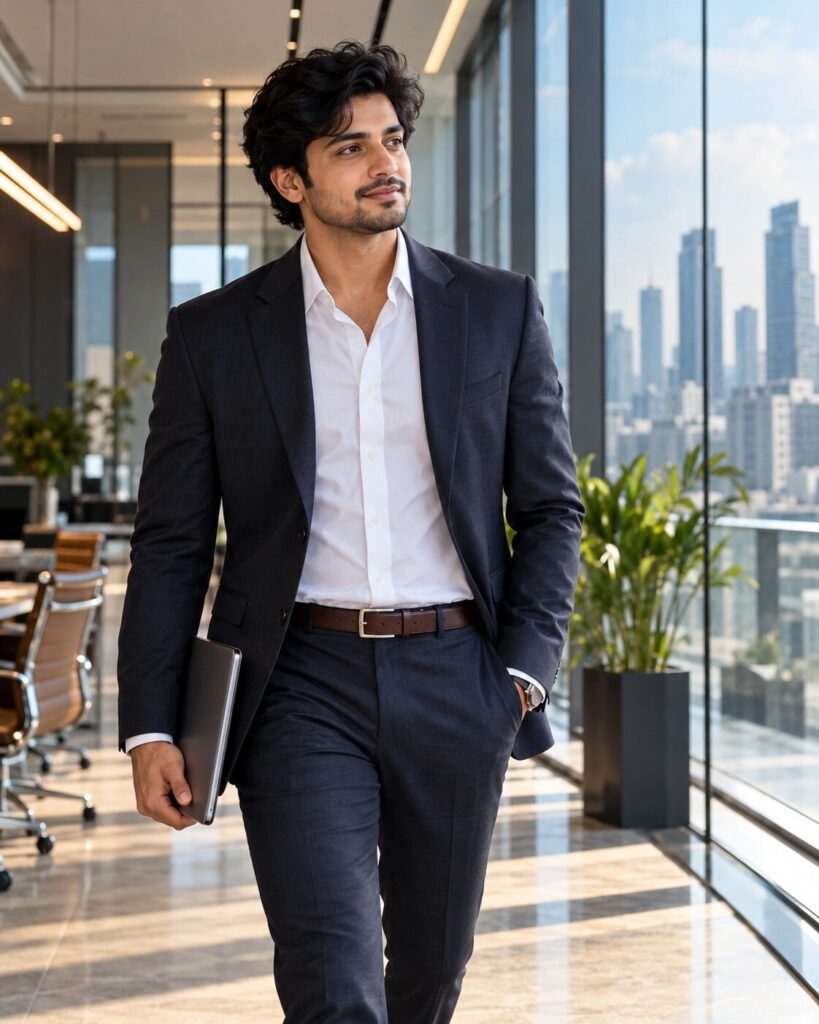
Sophisticated Corporate Lifestyle Portrait
♡ 51Create a premium corporate lifestyle portrait from your uploaded photo with modern office architecture, natural executive styling, editorial lighting and exact identity preservation.
#Corporate Portrait#AI photo#business photography#corporate portrait#executive lifestyle#office portrait
Use the uploaded reference image as the exact identity source. Create a photorealistic premium corporate lifestyle portrait of the same person inside a sophisticated contemporary office. Preserve facial identity, facial structure, facial proportions, eyes, eyebrows, nose, lips, jawline, cheeks, skin tone, natural age, hairline, hairstyle and distinctive facial characteristics exactly. Dress the subject in refined modern business attire with realistic tailoring. Capture a natural walking-through-the-office moment with a notebook or tablet, relaxed confident expression and subtle interaction with the environment. Use floor-to-ceiling glass, modern architecture, a distant city skyline and restrained greenery. Soft window daylight, controlled architectural fill, realistic skin pores, natural hair texture, detailed fabric, cinematic editorial composition, architectural leading lines, shallow depth of field, premium executive magazine photography, realistic full-frame optics and subtle film grain.
Use the uploaded reference image as the exact identity source. Create a photorealistic premium corporate lifestyle portrait of the same person inside a sophisticated contemporary office. Preserve facial identity, facial structure, facial proportions, eyes, eyebrows, nose, lips, jawline, cheeks, skin tone, natural age, hairline, hairstyle and distinctive facial characteristics exactly. Dress the subject in refined modern business attire with realistic tailoring. Capture a natural walking-through-the-office moment with a notebook or tablet, relaxed confident expression and subtle interaction with the environment. Use floor-to-ceiling glass, modern architecture, a distant city skyline and restrained greenery. Soft window daylight, controlled architectural fill, realistic skin pores, natural hair texture, detailed fabric, cinematic editorial composition, architectural leading lines, shallow depth of field, premium executive magazine photography, realistic full-frame optics and subtle film grain.
Create a premium photorealistic corporate lifestyle portrait of the exact person from the uploaded reference image inside a modern glass office. Preserve exact facial identity and natural facial characteristics. Show the subject in sophisticated business attire walking naturally through the workspace with a notebook or tablet, looking toward the camera with a relaxed confident expression. Use soft window daylight, controlled architectural fill, realistic skin texture, detailed clothing, city skyline, architectural leading lines, shallow depth of field and polished editorial photography.
Transform the uploaded reference photo into a sophisticated photorealistic corporate lifestyle portrait. Preserve the exact identity and recognizable facial features of the person. Place them naturally inside a premium contemporary glass office wearing refined business attire, walking with a notebook or tablet while looking toward the camera. Use soft daylight through large windows, architectural leading lines, realistic city views, natural skin texture, detailed clothing and premium editorial photography. The result should feel like a genuine executive magazine profile photograph rather than a stock image.
identity drift, different person, generic corporate model, altered facial structure, changed facial proportions, different eyes, different nose, changed lips, altered jawline, changed cheeks, changed skin tone, changed age, different hairstyle, altered hairline, excessive beauty retouching, plastic skin, waxy skin, stock-photo smile, stiff passport pose, cartoon, anime, illustration, CGI, 3D render, distorted anatomy, malformed hands, extra fingers, duplicate person, unrealistic office, fake architecture, excessive HDR, oversaturation, artificial skin, excessive bokeh, text, logo, watermark
Works with
✦ChatGPT Images✦Gemini✦Midjourney✦Flux✦SDXL
Comments