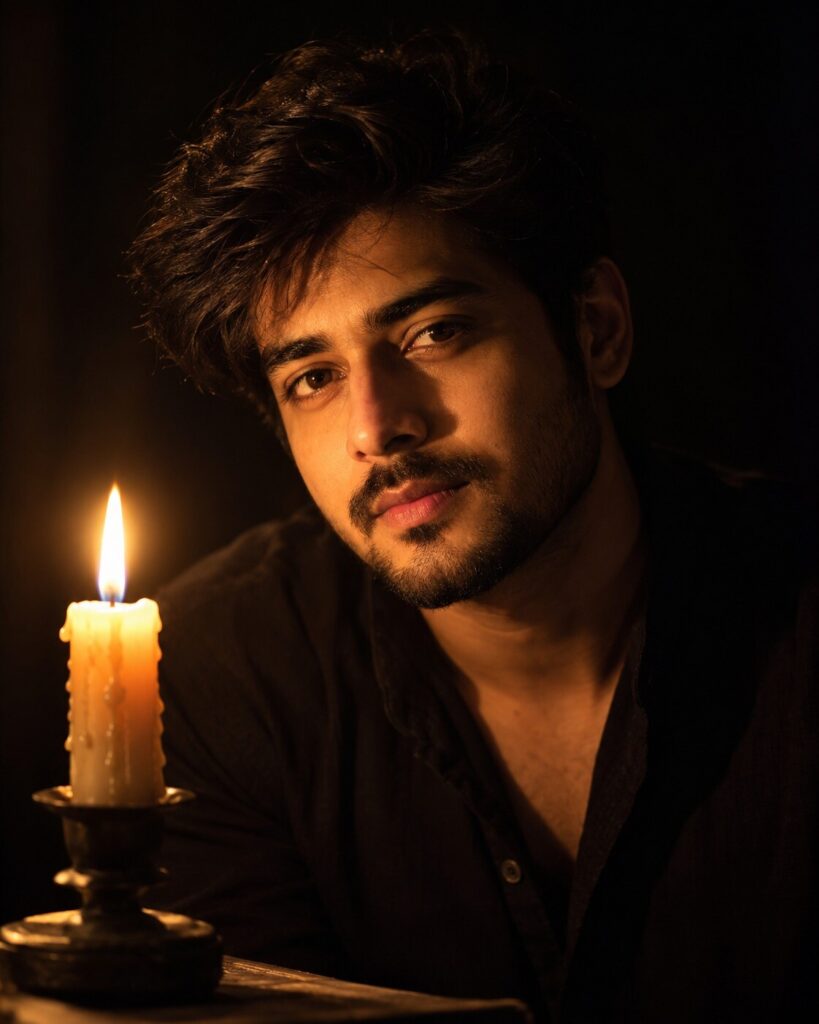
Single-Candle Chiaroscuro Portrait
♡ 10Create an intimate cinematic portrait from your uploaded photo using one candle as the primary light source, with dramatic shadows and exact identity preservation.
#Dramatic Dark Portrait#candlelight portrait#chiaroscuro#cinematic photography#dramatic portrait#fine art portrait
Create a photorealistic single-candle chiaroscuro portrait using the uploaded reference image as the exact identity anchor. Preserve facial identity, facial structure, proportions, eyes, eyebrows, nose, lips, jawline, cheeks, skin tone, hairline, hairstyle, natural age, and distinctive characteristics. Place the same person in near-total darkness with one real burning candle positioned slightly below and beside the face as the primary light source. Use physically accurate warm candle illumination, realistic light falloff, deep natural shadows, subtle highlights in the eyes, visible skin pores, individual hair strands, calm introspective expression, upper-chest framing, 85mm portrait photography, wide aperture, shallow depth of field, rich blacks, warm amber highlights, restrained film grain, and sophisticated cinematic color grading.
Create a photorealistic single-candle chiaroscuro portrait using the uploaded reference image as the exact identity anchor. Preserve facial identity, facial structure, proportions, eyes, eyebrows, nose, lips, jawline, cheeks, skin tone, hairline, hairstyle, natural age, and distinctive characteristics. Place the same person in near-total darkness with one real burning candle positioned slightly below and beside the face as the primary light source. Use physically accurate warm candle illumination, realistic light falloff, deep natural shadows, subtle highlights in the eyes, visible skin pores, individual hair strands, calm introspective expression, upper-chest framing, 85mm portrait photography, wide aperture, shallow depth of field, rich blacks, warm amber highlights, restrained film grain, and sophisticated cinematic color grading.
(photorealistic:1.4), (exact identity preservation:1.4), (dramatic dark portrait:1.4), single candlelight, chiaroscuro photography, realistic warm illumination, deep natural shadows, detailed eyes, realistic skin pores, natural facial texture, cinematic low-key lighting, 85mm portrait lens, shallow depth of field, realistic flame, rich blacks, warm amber highlights, subtle film grain, fine-art portrait photography
Using the uploaded reference photo as the exact identity reference, create a photorealistic intimate cinematic portrait of the same person in near-total darkness, illuminated primarily by one real burning candle positioned slightly below and beside the face. Preserve the exact recognizable facial identity, facial structure, facial proportions, eyes, eyebrows, nose, lips, jawline, cheeks, skin tone, hairline, hairstyle, distinctive facial characteristics, natural age, and overall likeness. Keep the expression calm and introspective with the eyes naturally directed toward the camera. Show realistic candlelight falling across the face with physically believable warm highlights, gradual shadow transitions, deep darkness on the opposite side, subtle reflected flame light in the eyes, realistic skin pores, natural eyelashes, and individual hair strands. Frame the image from the upper chest upward with the candle subtly visible in the foreground. Use an 85mm portrait photography look, wide aperture, shallow depth of field, rich blacks, warm amber highlights, subtle organic film grain, restrained cinematic contrast, and premium fine-art photography realism. The final result should look like a real photograph made with one practical candle, not an AI illustration.
generic face, different person, altered identity, identity drift, changed facial structure, changed facial proportions, different eyes, changed eyebrows, altered nose, changed lips, changed jawline, altered cheeks, changed skin tone, changed hairline, changed hairstyle, excessive beauty retouching, plastic skin, waxy skin, artificial makeup, flat lighting, multiple light sources, studio lighting, excessive glow, giant flame, unrealistic fire, overexposed face, crushed facial detail, cartoon, anime, CGI, 3D render, painterly effect, low resolution, blurry eyes, distorted anatomy, malformed hands, extra fingers, duplicate face, duplicate person, text, watermark, logo
Works with
✦GPT Image✦Google Gemini✦Midjourney✦Flux✦SDXL
Comments