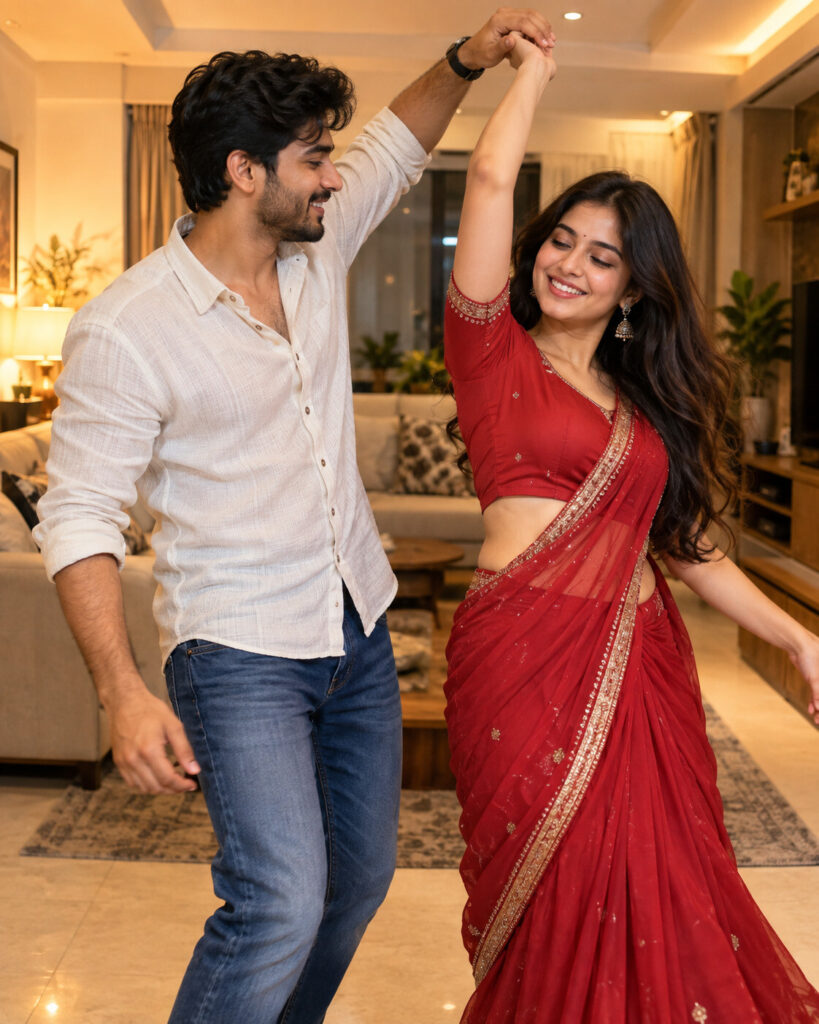
Perfect Duet – Two-Person Cinematic Dance Portrait
♡ 11Merge two uploaded portraits into one cinematic dance moment while preserving both people's exact identities, natural likeness and realistic interaction.
Merge the two uploaded reference portraits into one photorealistic shared scene. Preserve each person's exact identity independently, including facial structure, eyes, eyebrows, nose, lips, jawline, cheeks, ears, skin tone, age, hairstyle and distinctive features. Place both people together in a natural synchronized dance pose inside a warm modern living room. Preserve their recognizable clothing and proportions. Match perspective, lighting, scale and shadows so both subjects appear genuinely photographed together. Natural expressions, realistic hands, believable body contact, subtle movement in clothing and hair, smartphone candid photography, warm ambient lighting, realistic skin texture, no text, no watermark, no extra people.
Merge the two uploaded reference portraits into one photorealistic shared scene. Preserve each person's exact identity independently, including facial structure, eyes, eyebrows, nose, lips, jawline, cheeks, ears, skin tone, age, hairstyle and distinctive features. Place both people together in a natural synchronized dance pose inside a warm modern living room. Preserve their recognizable clothing and proportions. Match perspective, lighting, scale and shadows so both subjects appear genuinely photographed together. Natural expressions, realistic hands, believable body contact, subtle movement in clothing and hair, smartphone candid photography, warm ambient lighting, realistic skin texture, no text, no watermark, no extra people.
Exact identities from two reference photos, two people dancing together, recognizable faces, preserved facial proportions, natural skin texture, realistic hair, preserved clothing, warm modern living room, synchronized dance pose, believable anatomy, natural hands, warm practical lighting, realistic shadows, candid lifestyle photography, photorealistic, high detail, vertical portrait composition
Using two uploaded reference photos, create a realistic photograph of both exact people dancing together in the same warm modern living room. Preserve each person's facial identity, facial structure, skin tone, hairstyle, age and distinctive characteristics exactly. Keep their clothing recognizable and create a natural synchronized dance pose with believable hands and body interaction. Match the lighting, perspective and scale perfectly so the image looks like one genuine candid photograph.
generic face, identity drift, blended faces, face swap artifacts, changed facial structure, changed eyes, changed nose, changed lips, changed jawline, changed cheeks, different skin tone, altered age, changed hairstyle, generic clothing, distorted anatomy, extra arms, extra legs, extra fingers, fused hands, malformed hands, impossible body pose, duplicate person, third person, duplicate face, floating limbs, disconnected body parts, pasted face, inconsistent lighting, inconsistent perspective, mismatched scale, excessive motion blur, blurry face, plastic skin, cartoon, anime, illustration, CGI appearance, text, captions, logos, watermarks, borders
Works with
✦GPT Image✦Gemini image models✦Nano Banana✦Flux✦Midjourney
Comments