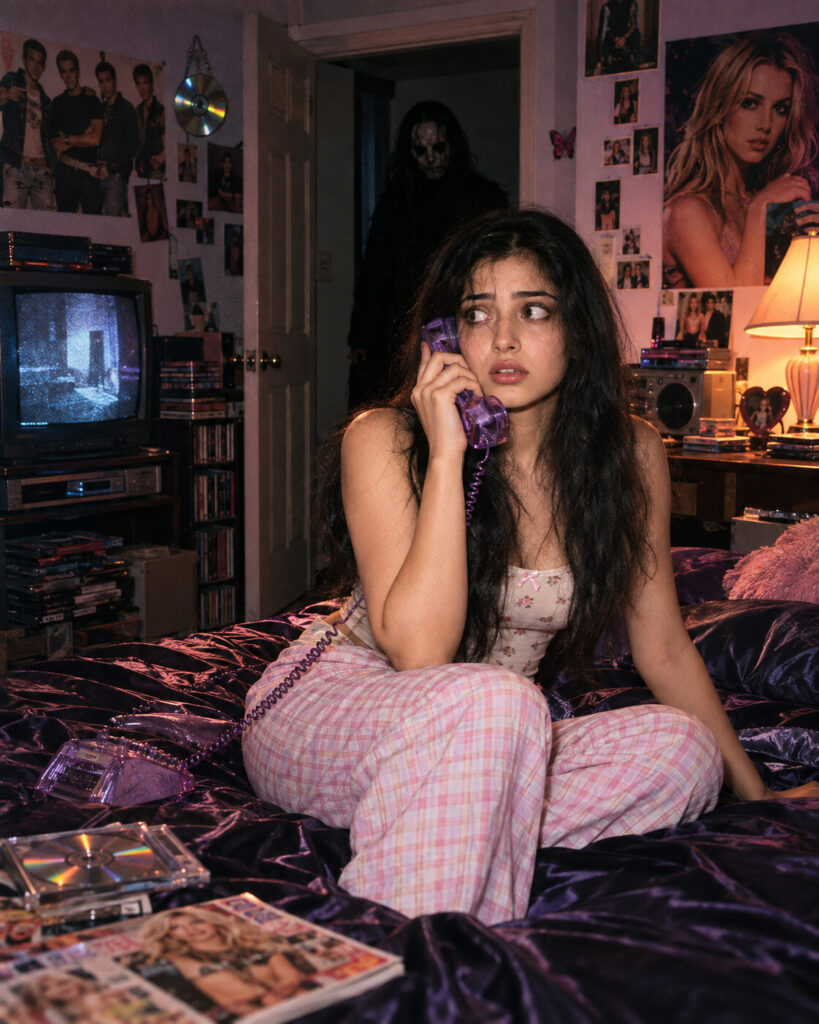
Y2K Ghostface Bedroom – Cinematic Horror Portrait
♡ 16Transform your uploaded portrait into a nostalgic Y2K bedroom horror scene while preserving your exact identity and adding a subtle masked figure in the background.
Create a photorealistic Y2K bedroom horror portrait using the uploaded reference image as the exact identity reference. Preserve the same person's recognizable face, facial structure, proportions, eyes, eyebrows, nose, lips, jawline, cheeks, ears, skin tone, natural age, hairline, hairstyle and distinctive facial features. Keep the person sitting on a dark satin bed while holding a translucent purple corded telephone. Build an authentic early-2000s bedroom with CRT television, CDs, magazines, posters, stereo equipment and warm bedside lighting. Place an original tall masked horror figure partially hidden in the open doorway behind the subject. Keep the figure mostly shadowed and slightly out of focus. Use direct disposable-camera flash, subtle VHS/digital grain, realistic skin texture, natural shadows, nostalgic Y2K colors, cinematic horror atmosphere, photorealistic detail and 4:5 composition.
Create a photorealistic Y2K bedroom horror portrait using the uploaded reference image as the exact identity reference. Preserve the same person's recognizable face, facial structure, proportions, eyes, eyebrows, nose, lips, jawline, cheeks, ears, skin tone, natural age, hairline, hairstyle and distinctive facial features. Keep the person sitting on a dark satin bed while holding a translucent purple corded telephone. Build an authentic early-2000s bedroom with CRT television, CDs, magazines, posters, stereo equipment and warm bedside lighting. Place an original tall masked horror figure partially hidden in the open doorway behind the subject. Keep the figure mostly shadowed and slightly out of focus. Use direct disposable-camera flash, subtle VHS/digital grain, realistic skin texture, natural shadows, nostalgic Y2K colors, cinematic horror atmosphere, photorealistic detail and 4:5 composition.
Exact reference identity, recognizable face, natural skin, Y2K bedroom, person holding purple corded phone, dark satin bedding, CRT television, CDs, magazines, posters, stereo, masked horror figure in doorway, white theatrical mask, cinematic shadows, direct flash photography, early digital camera grain, realistic skin texture, nostalgic color grading, photorealistic horror portrait, shallow depth of field
Transform the uploaded portrait into a nostalgic early-2000s bedroom photograph. Preserve the person's exact recognizable face and identity. Place the person sitting on a dark satin bed holding a translucent purple corded phone, surrounded by authentic Y2K bedroom details such as a CRT television, CDs, magazines, posters and a compact stereo. In the open doorway behind them, place a tall mysterious figure wearing an original white theatrical horror mask, mostly hidden in shadow and slightly out of focus. Use direct disposable-camera flash, subtle early-digital grain and cinematic horror atmosphere.
generic face, different person, identity drift, altered facial structure, changed eyes, changed nose, changed lips, changed jawline, changed cheeks, different skin tone, altered age, changed hairstyle, beautified face, plastic skin, cartoon, anime, illustration, CGI appearance, smiling mask, goofy mask, excessive gore, blood, wounds, dismemberment, monster face, distorted anatomy, extra people, duplicate person, duplicate face, extra limbs, distorted hands, floating telephone, malformed telephone cord, oversized background figure, figure covering subject, excessive blur, completely black background, text, captions, logos, watermark, brand names
Works with
✦GPT Image✦Gemini image models✦Nano Banana✦Flux✦Midjourney
Comments