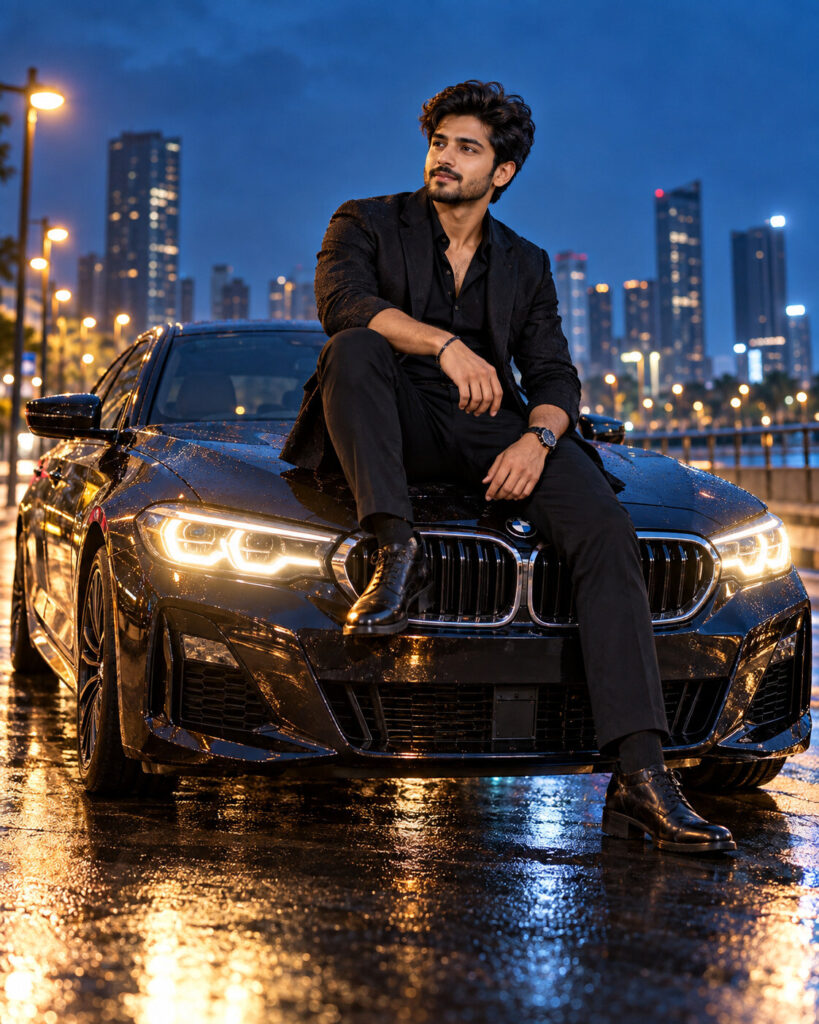
Luxury Car Bonnet Editorial Portrait
♡ 9Transform a reference photo into a cinematic luxury automotive portrait with the subject naturally seated on a premium car bonnet, wet-road reflections and dramatic editorial lighting.
#Automotive Photography#automotive editorial#automotive photography#car bonnet portrait#cinematic car photo#luxury car portrait
Exact identity-preserving luxury automotive editorial portrait of the uploaded person seated naturally on the bonnet of a premium performance car, sophisticated dark fashion, blue-hour urban boulevard, wet asphalt reflections, realistic headlights, cinematic cool ambient light, warm headlight spill, subtle rim lighting, three-quarter low camera angle, premium automotive advertising photography, realistic skin texture, photorealistic.
Exact identity-preserving luxury automotive editorial portrait of the uploaded person seated naturally on the bonnet of a premium performance car, sophisticated dark fashion, blue-hour urban boulevard, wet asphalt reflections, realistic headlights, cinematic cool ambient light, warm headlight spill, subtle rim lighting, three-quarter low camera angle, premium automotive advertising photography, realistic skin texture, photorealistic.
exact identity preservation, luxury car portrait, automotive editorial, car bonnet sitting, blue hour photography, wet road reflections, premium fashion, cinematic headlights, low angle automotive photography, realistic vehicle details, advertising photography, photorealistic --ar 4:5 --style raw --stylize 90
Create a photorealistic 4:5 luxury automotive editorial portrait using the uploaded image as the exact identity reference. Preserve the person's facial identity, facial structure, facial proportions, eyes, eyebrows, nose, lips, jawline, cheeks, skin tone, hairline, hairstyle, distinctive features and natural age. Place the same person naturally seated on the bonnet of a premium modern performance car. Dress them in understated dark luxury fashion. Set the scene on a sophisticated urban boulevard at blue hour after light rain, with wet asphalt reflecting headlights and city lights. Use a low three-quarter camera angle showing both the person and the front three-quarter vehicle profile. Combine cool blue ambient illumination with warm headlight spill and subtle rim lighting. Preserve natural skin texture, realistic vehicle geometry, physically accurate reflections and cinematic automotive advertising quality.
different person, changed identity, generic face, altered facial structure, changed eye shape, enlarged eyes, distorted nose, distorted lips, warped jaw, plastic skin, excessive beauty retouching, unrealistic anatomy, floating body, incorrect sitting position, distorted car, malformed wheels, incorrect headlights, extra wheels, impossible reflections, CGI car, cartoon, illustration, fantasy vehicle, excessive neon, oversaturated colors, extreme HDR, blurry face, low resolution, text, logo, watermark
Works with
✦ChatGPT image generation✦Gemini✦Midjourney✦SDXL
Comments