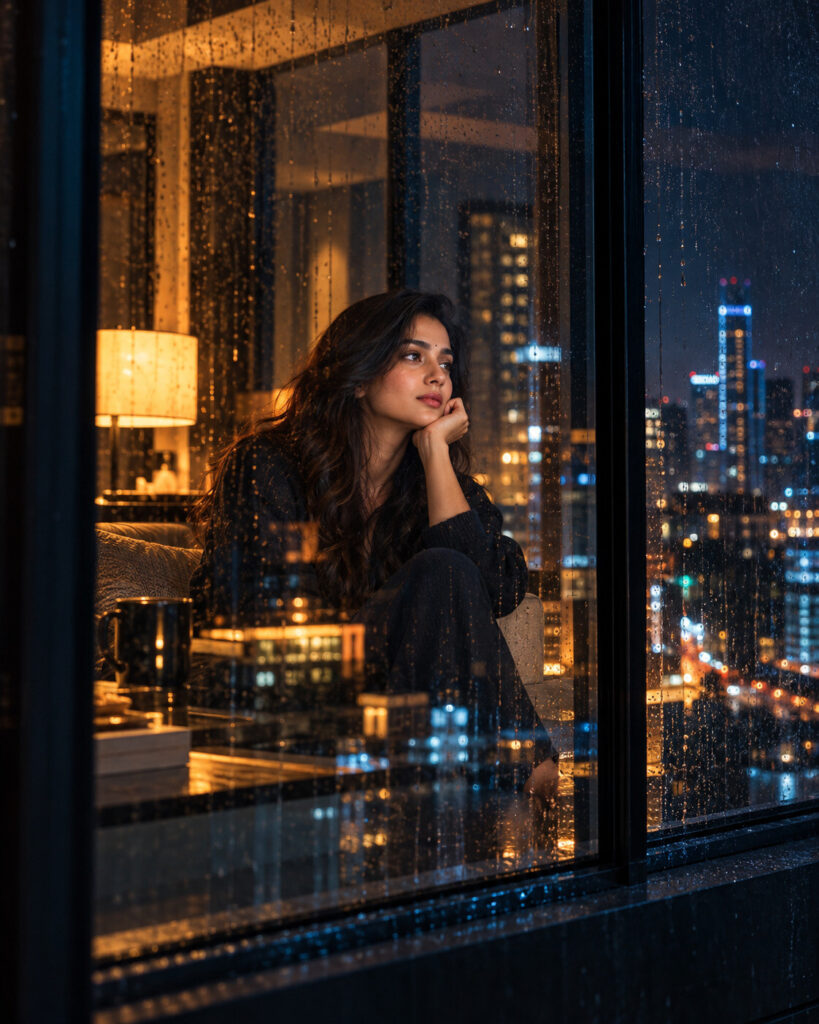
Penthouse Window Neo-Noir Identity Portrait
♡ 11Transform a reference photo into an intimate neo-noir portrait viewed through rain-speckled penthouse glass with restrained city reflections, low-key lighting and cinematic negative space while preserving exact identity.
#Film Noir Portrait#cinematic window portrait#film noir photography#low key portrait#neo-noir portrait#penthouse portrait
Exact identity-preserving neo-noir portrait of the uploaded person sitting beside a floor-to-ceiling penthouse window at night, photographed from outside through real rain-speckled glass, restrained city reflections, warm interior practical lamp, faint cool blue city edge light, deep architectural shadows, large negative space, sophisticated minimalist wardrobe, realistic skin texture, authentic glass optics, subtle low-light grain, cinematic film still, photorealistic.
Exact identity-preserving neo-noir portrait of the uploaded person sitting beside a floor-to-ceiling penthouse window at night, photographed from outside through real rain-speckled glass, restrained city reflections, warm interior practical lamp, faint cool blue city edge light, deep architectural shadows, large negative space, sophisticated minimalist wardrobe, realistic skin texture, authentic glass optics, subtle low-light grain, cinematic film still, photorealistic.
identity-preserving neo-noir portrait, penthouse window, rain-speckled glass, city reflections, cinematic negative space, low-key lighting, warm practical lamp, cool blue edge light, realistic skin texture, architectural night photography, authentic glass optics, photorealistic --ar 4:5 --style raw --stylize 80
Create a photorealistic 4:5 neo-noir portrait using the uploaded image as the exact identity reference. Preserve the person's facial identity, facial structure, facial proportions, eyes, eyebrows, nose, lips, jawline, cheeks, skin tone, hairline, hairstyle, distinctive facial characteristics and natural age. Place the same person naturally beside a floor-to-ceiling penthouse window at night, viewed from outside through real rain-speckled glass. Position the subject slightly off-center with generous cinematic negative space. Use a small warm interior lamp to illuminate part of the face and clothing, combined with an extremely subtle cool blue city-light edge. Add restrained reflections of distant illuminated windows across the glass and realistic architectural darkness inside the penthouse. Preserve natural pores, realistic low-light exposure, authentic fabric texture and subtle optical imperfections. Finish with restrained neo-noir color grading and fine film grain.
different person, changed identity, generic face, identity loss, altered facial structure, changed eye shape, enlarged eyes, distorted nose, distorted lips, warped jaw, plastic skin, waxy skin, excessive beauty retouching, artificial face, obscured face, excessive glass reflection, decorative reflections, impossible reflections, fake rain, excessive neon, oversaturated colors, crushed shadows, completely black face, CGI, cartoon, illustration, low resolution, blurry face, excessive HDR, oversharpening, text, logo, watermark
Works with
✦ChatGPT image generation✦Gemini✦Midjourney✦SDXL
Comments