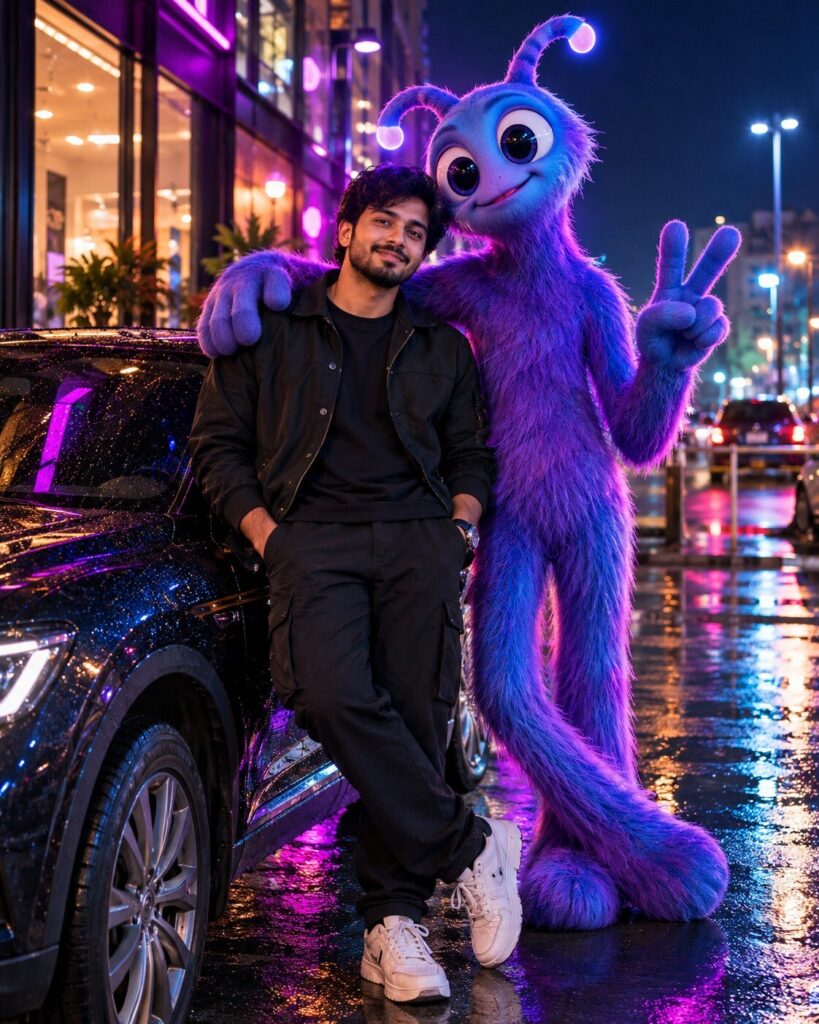
Real-Life Digital Circus Companion
♡ 6Place a surreal 3D cartoon companion beside your real self while preserving your exact identity and blending the character naturally into the photograph.
Use the uploaded photo as the exact identity reference and preserve the person completely. Add a tall surreal purple-blue 3D cartoon companion naturally beside them in a realistic nighttime location. Match lighting, perspective, contact shadows, reflections and depth so the character appears physically present while maintaining a playful but uncanny weirdcore atmosphere.
Use the uploaded photo as the exact identity reference and preserve the person completely. Add a tall surreal purple-blue 3D cartoon companion naturally beside them in a realistic nighttime location. Match lighting, perspective, contact shadows, reflections and depth so the character appears physically present while maintaining a playful but uncanny weirdcore atmosphere.
Photorealistic real-world portrait using the uploaded reference image as the exact identity source, preserve recognizable facial identity, facial structure, eyes, eyebrows, nose, lips, jawline, cheeks, skin tone, hairline, hairstyle, natural age, distinctive facial characteristics and body proportions. Add a tall surreal 3D cartoon companion beside the person, elongated body, oversized expressive eyes, soft purple-blue skin, rounded limbs, slightly oversized head, subtle glossy material, friendly but uncanny expression. Nighttime convenience-store environment, realistic pavement, glass, vending machines and distant streetlights, accurate contact shadows, reflections, ambient occlusion, matching light direction, realistic scale and perspective, cinematic 3D mascot integration, shallow depth of field, atmospheric haze, realistic human skin, natural camera exposure, subtle color grading, vertical 4:5.
Edit the uploaded photograph while preserving the persons exact recognizable identity, facial structure, proportions, skin tone, hairstyle, natural age and distinctive facial characteristics. Keep the person completely photorealistic. Add a tall surreal 3D cartoon companion naturally standing beside them as though it physically exists in the same environment. Give the character elongated proportions, oversized expressive eyes, soft purple-blue skin, rounded limbs, a slightly oversized head and a playful but subtly eerie expression. Place the scene outside a quiet convenience store at night with realistic pavement, glass, vending machines and distant streetlights. Match the cartoon character to the photograph using accurate perspective, physical scale, contact shadows, reflections, ambient lighting and atmospheric depth. Keep the human face unobstructed. The result should look like an authentic photograph containing one impossible animated companion, not a sticker or flat digital overlay. Cinematic night photography, shallow depth of field, subtle haze, realistic exposure, vertical 4:5 composition, no logos or watermark.
identity change, different person, generic human face, facial distortion, altered facial proportions, asymmetrical eyes, malformed eyes, warped nose, distorted lips, changed jawline, changed skin tone, changed hairstyle, changed age, cartoon human, plastic skin, mascot covering face, flat sticker, pasted graphic, floating character, incorrect scale, incorrect perspective, missing contact shadow, mismatched lighting, unrealistic reflection, duplicate person, extra limbs, extra fingers, malformed hands, deformed anatomy, low detail, low resolution, excessive blur, excessive saturation, ugly artifacts, text, logo, watermark
Works with
✦GPT Image✦Midjourney✦FLUX✦SDXL
Comments