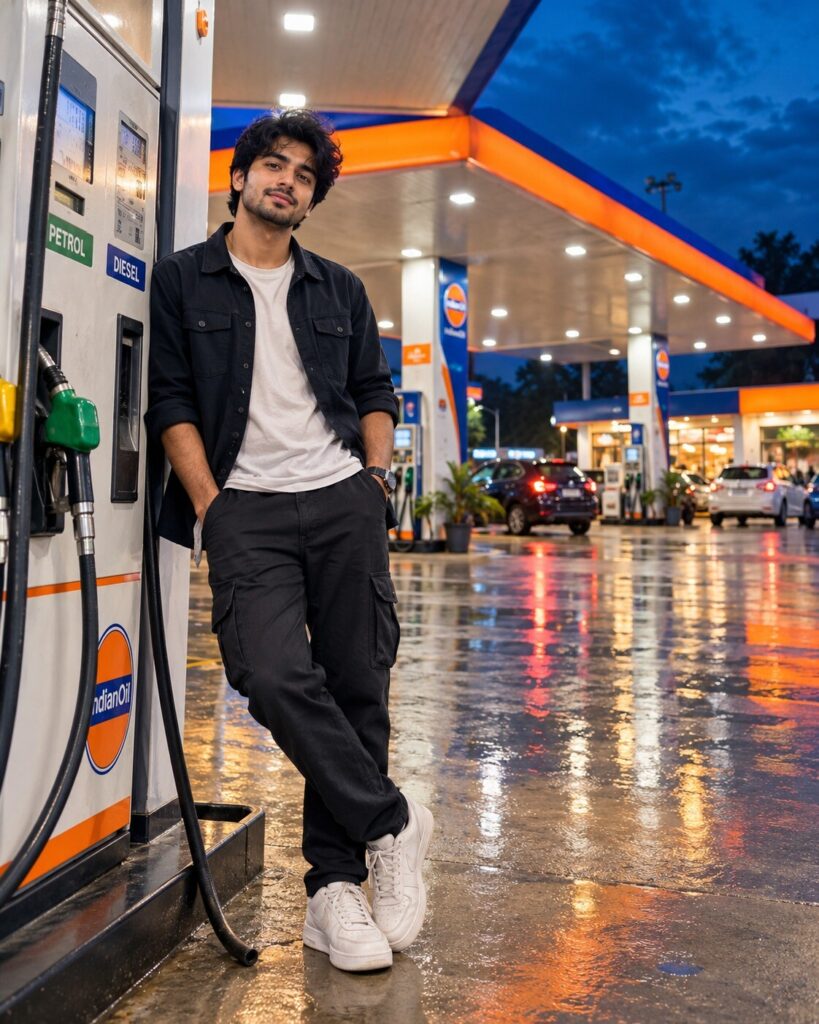
Cinematic Petrol Pump Night Portrait
♡ 6Transform a reference photo into a cinematic nighttime petrol pump portrait with glowing canopy lights, wet-road reflections and realistic Indian surroundings.
#Environmental Portrait#AI photo trend#blue hour#cinematic portrait#Indian street photography#night photography
Uploaded reference photo, exact identity preservation, cinematic petrol pump portrait, modern Indian fuel station at blue hour, glowing canopy lights, wet asphalt reflections, cool blue ambient sky, warm station illumination, contemporary streetwear, natural confident pose, realistic DSLR photography, detailed skin texture, realistic shadows, cinematic color grading, photorealistic, 4:5.
Uploaded reference photo, exact identity preservation, cinematic petrol pump portrait, modern Indian fuel station at blue hour, glowing canopy lights, wet asphalt reflections, cool blue ambient sky, warm station illumination, contemporary streetwear, natural confident pose, realistic DSLR photography, detailed skin texture, realistic shadows, cinematic color grading, photorealistic, 4:5.
Photorealistic cinematic petrol-station portrait from the uploaded reference image. Lock the subject's identity and preserve exact facial geometry, eyes, eyebrows, nose, lips, jawline, cheeks, skin tone, natural age, hairline, hairstyle and distinctive features. Modern Indian petrol station at blue hour, glowing canopy, realistic fuel pumps, wet asphalt, warm artificial lights contrasting with cool blue ambient sky, natural reflections, believable perspective, contemporary outfit, realistic anatomy, professional DSLR detail, cinematic shadows, moderate depth of field, realistic environmental integration, premium editorial photography, 4:5 vertical.
Transform the uploaded reference photograph into a photorealistic cinematic nighttime petrol-station portrait. Preserve the exact identity and recognizable likeness of the person, including facial structure, facial proportions, eyes, eyebrows, nose, lips, jawline, cheeks, skin tone, natural age, hairline, hairstyle and distinctive facial characteristics. Place the person naturally on a modern Indian petrol-station forecourt during blue hour. Use a large illuminated canopy, realistic fuel pumps, wet asphalt, believable reflections, cool blue ambient light and warm station lighting. Maintain realistic perspective, scale, contact shadows, skin texture and clothing detail. Create the feeling of a professionally photographed cinematic street-fashion portrait without changing the person's identity. Vertical 4:5 composition.
generic face, different person, altered identity, facial reconstruction, changed facial proportions, different eyes, different nose, different lips, altered jawline, changed skin tone, younger face, older face, plastic skin, excessive beauty retouching, distorted anatomy, extra fingers, missing fingers, malformed hands, duplicated limbs, floating feet, pasted-on subject, incorrect perspective, unrealistic scale, fake reflections, warped petrol pumps, distorted canopy, duplicate vehicles, excessive traffic, unreadable random text, excessive HDR, oversaturated colors, CGI, cartoon, illustration, painting, watermark, logo
Works with
✦GPT Image 2.5✦GPT Image 2✦Gemini image models✦Midjourney✦FLUX
Comments