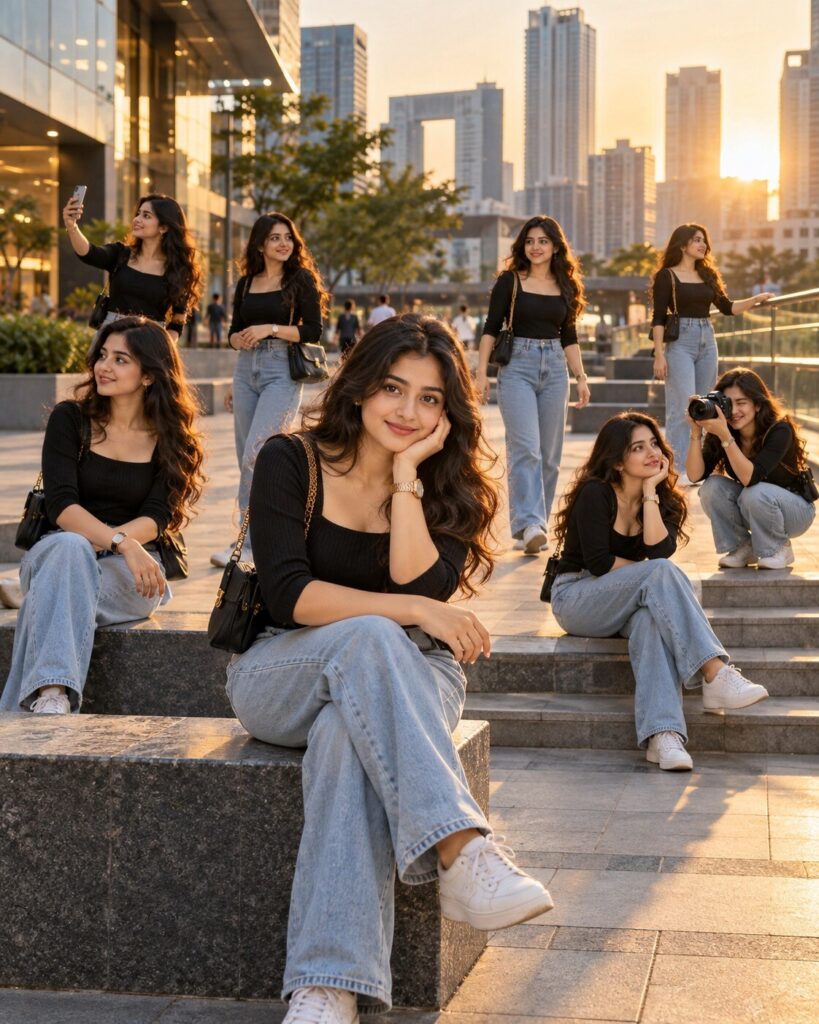
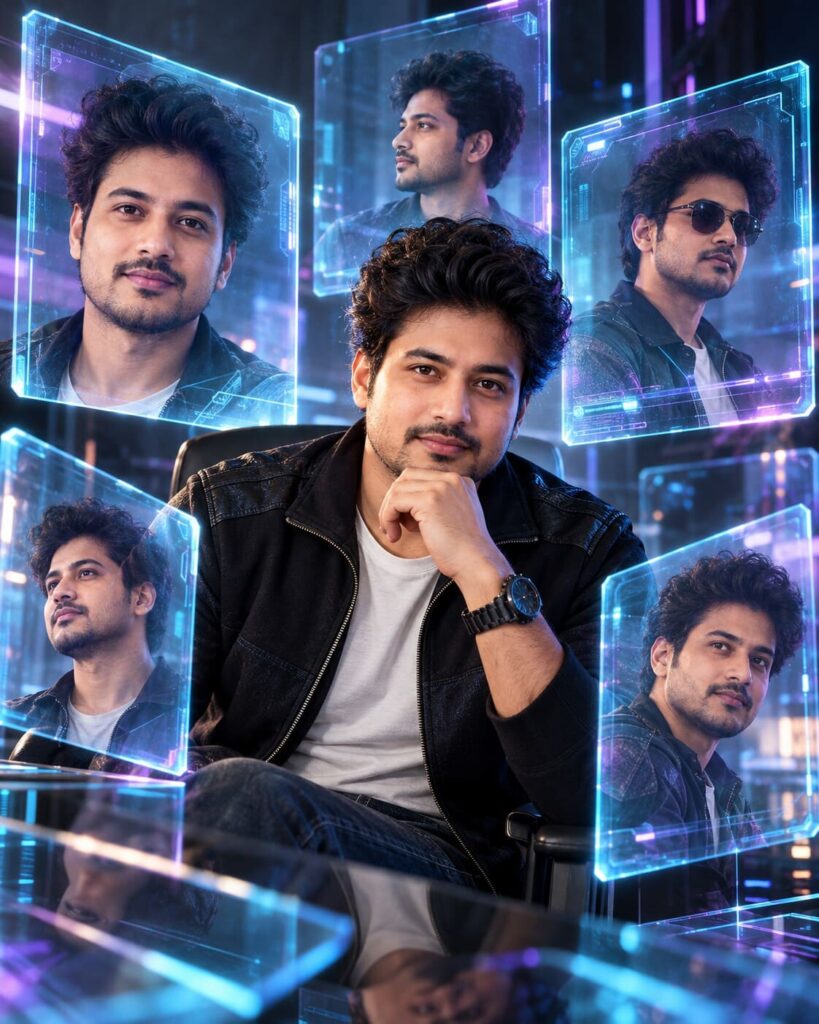
Surreal Clone Crowd Cinematic Portrait
♡ 86Create a surreal cinematic portrait where multiple versions of the same uploaded person appear naturally in one scene while preserving exact facial identity.
#Surreal Portrait#AI photo prompt#cinematic photography#clone effect#identity preservation#multiple selves
Use the uploaded reference image as the exact identity source. Create a photorealistic surreal cinematic scene containing eight versions of the same person. Preserve the exact recognizable face, facial structure, proportions, eyes, eyebrows, nose, lips, jawline, cheeks, skin tone, age, hairline, hairstyle, facial hair and distinctive features across every appearance. One central subject remains perfectly sharp while seven identical versions appear naturally throughout a modern urban plaza at different distances and positions. Maintain identical wardrobe and hairstyle. Use realistic perspective, atmospheric depth, subtle motion blur on moving clones, cinematic late-afternoon sunlight, natural shadows, realistic reflections, shallow depth of field, fine film grain and premium editorial photography. All versions must look physically present in the same scene with matching lighting and perspective.
Use the uploaded reference image as the exact identity source. Create a photorealistic surreal cinematic scene containing eight versions of the same person. Preserve the exact recognizable face, facial structure, proportions, eyes, eyebrows, nose, lips, jawline, cheeks, skin tone, age, hairline, hairstyle, facial hair and distinctive features across every appearance. One central subject remains perfectly sharp while seven identical versions appear naturally throughout a modern urban plaza at different distances and positions. Maintain identical wardrobe and hairstyle. Use realistic perspective, atmospheric depth, subtle motion blur on moving clones, cinematic late-afternoon sunlight, natural shadows, realistic reflections, shallow depth of field, fine film grain and premium editorial photography. All versions must look physically present in the same scene with matching lighting and perspective.
Photorealistic surreal cinematic photograph of the exact person from the uploaded reference image appearing multiple times in one continuous urban plaza. Preserve exact identity in every appearance, same facial structure, facial proportions, eyes, eyebrows, nose, lips, jawline, cheeks, skin tone, age, hairstyle and distinctive features. Eight identical versions at different distances and poses, central subject sharp, peripheral versions naturally integrated, realistic perspective, subtle motion blur, cinematic late-afternoon lighting, natural shadows, reflections, atmospheric depth, realistic skin texture and premium editorial photography.
Create a highly realistic surreal cinematic photograph from the uploaded reference image. Preserve the exact identity of the person. Show the same person eight times within one continuous modern urban plaza: one central sharp subject and seven additional identical versions at different distances and poses. Keep every face, hairstyle, clothing style and body proportions consistent. Use realistic perspective, cinematic late-afternoon light, natural shadows, subtle motion blur on moving figures, atmospheric depth and professional photographic texture. Make the image appear to have been captured as one real photograph rather than assembled as a collage.
identity drift, different faces, generic faces, inconsistent clones, different person, altered facial structure, changed facial proportions, different eyes, changed nose, changed lips, altered jawline, changed cheeks, changed skin tone, changed age, different hairstyle, altered hairline, inconsistent clothing, inconsistent body proportions, malformed anatomy, duplicate limbs, extra fingers, deformed hands, floating people, pasted collage appearance, cutout figures, unrealistic scale, excessive motion blur, blurry central face, blurry eyes, cartoon, anime, illustration, CGI, 3D render, plastic skin, excessive HDR, oversaturation, artificial shadows, impossible reflections, text, labels, logo, watermark
Works with
✦ChatGPT Images✦Gemini✦Midjourney✦Flux✦SDXL
Comments