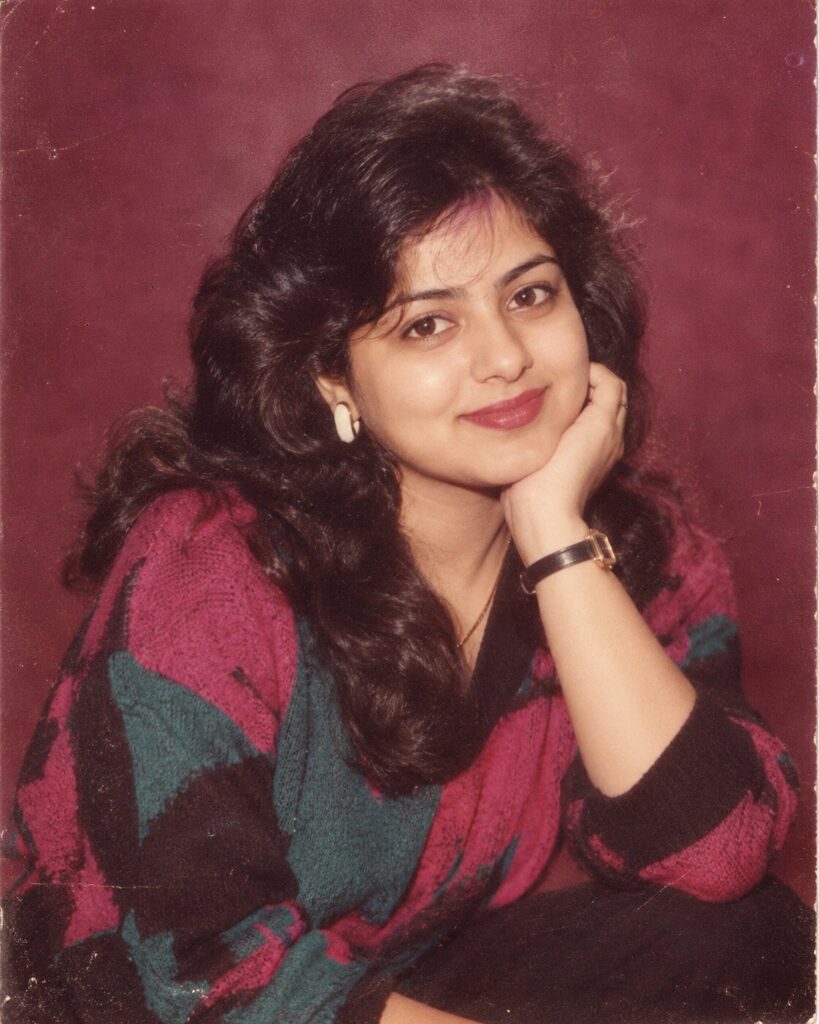
1980s Mall Studio Flash Portrait — Authentic Retro Photo Transformation
♡ 80Transform a reference photo into an authentic late-1980s mall studio portrait with period styling, direct flash, analog film grain, and nostalgic studio aesthetics.
Use the uploaded reference image as the exact identity reference. Preserve recognizable facial identity, facial structure, facial proportions, eyes, eyebrows, nose, lips, jawline, cheeks, skin tone, hairline, hairstyle, distinctive facial characteristics, natural age, and overall likeness. Transform the scene into an authentic late-1980s mall photography-studio portrait, with period-correct clothing, grooming, subtle accessories, simple studio posing, a maroon or mauve photographic backdrop, direct on-camera flash, realistic flash falloff, 35mm analog film characteristics, fine film grain, mild halation, slightly faded colors, restrained contrast, natural skin texture, tiny exposure imperfections, and the polished commercial portrait style of a real 1987–1989 studio photograph. Make it feel genuinely photographed during the era rather than digitally filtered today. Do not alter the person into a generic retro character.
Use the uploaded reference image as the exact identity reference. Preserve recognizable facial identity, facial structure, facial proportions, eyes, eyebrows, nose, lips, jawline, cheeks, skin tone, hairline, hairstyle, distinctive facial characteristics, natural age, and overall likeness. Transform the scene into an authentic late-1980s mall photography-studio portrait, with period-correct clothing, grooming, subtle accessories, simple studio posing, a maroon or mauve photographic backdrop, direct on-camera flash, realistic flash falloff, 35mm analog film characteristics, fine film grain, mild halation, slightly faded colors, restrained contrast, natural skin texture, tiny exposure imperfections, and the polished commercial portrait style of a real 1987–1989 studio photograph. Make it feel genuinely photographed during the era rather than digitally filtered today. Do not alter the person into a generic retro character.
Transform the uploaded reference image into an authentic late-1980s mall photography-studio portrait while preserving exact identity and facial likeness. Keep facial proportions, eyes, eyebrows, nose, lips, jawline, cheeks, skin tone, hairline, hairstyle, natural age, and distinctive features unchanged. Use period-correct 1980s clothing and grooming, a maroon or mauve studio backdrop, direct frontal flash, realistic flash falloff, 35mm film grain, mild halation, slight color fading, restrained contrast, natural skin texture, subtle exposure imperfections, authentic 1987–1989 commercial portrait photography, realistic analog photograph.
Using the uploaded reference image, recreate the person as an authentic late-1980s mall studio portrait. Preserve exact recognizable identity and facial characteristics while changing the visual context to period-correct 1987–1989 fashion, grooming, studio backdrop, direct flash photography, analog 35mm film grain, subtle color fading, natural skin texture, mild halation, and understated nostalgic commercial portrait aesthetics. The final image should look like a genuine archival photograph from the late 1980s.
generic face, changed identity, different person, facial restructuring, altered facial proportions, different eyes, different nose, different lips, different jawline, younger face, older face, plastic skin, excessive makeup, modern hairstyle, modern clothing, modern accessories, smartphone, modern camera, contemporary studio, LED lighting, cinematic lighting, dramatic rim light, neon cyberpunk, excessive VHS effects, excessive scratches, heavy dust, fake film border, oversaturated colors, extreme blur, excessive glow, CGI, 3D render, illustration, cartoon, anime, painterly effect, waxy skin, deformed hands, distorted anatomy, duplicate person, extra limbs, text, watermark, logo
Works with
✦Nano Banana✦GPT Image✦Midjourney✦FLUX
Comments