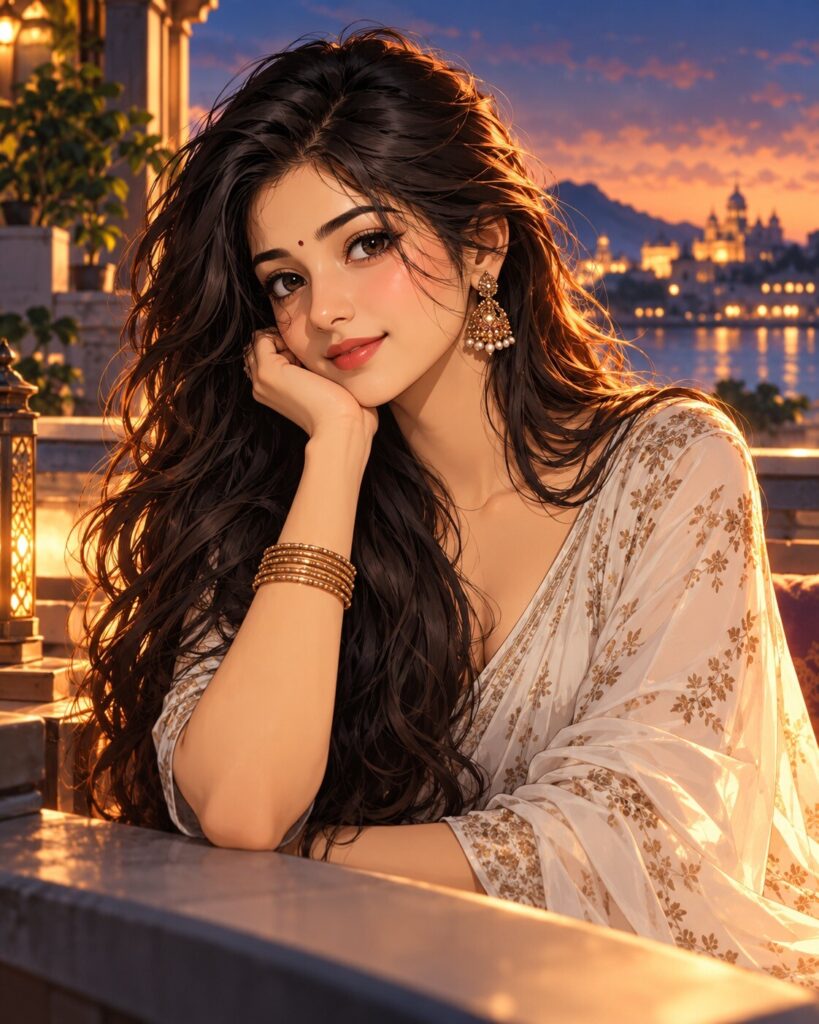
Cinematic Anime Portrait Transformation
♡ 5Transform a reference photo into a polished cinematic anime portrait with expressive linework, refined cel shading, atmospheric depth and preserved facial identity.
#Anime-Inspired Illustration#AI anime#anime portrait#anime selfie#anime transformation#character illustration
Uploaded reference photo, exact identity preservation, cinematic anime portrait, recognizable facial structure, clean expressive linework, refined cel shading, sophisticated anime character design, detailed hair, cinematic lighting, atmospheric background, dramatic rim light, polished contemporary clothing, premium anime-film aesthetic, expressive natural pose, highly detailed illustration, 4:5.
Uploaded reference photo, exact identity preservation, cinematic anime portrait, recognizable facial structure, clean expressive linework, refined cel shading, sophisticated anime character design, detailed hair, cinematic lighting, atmospheric background, dramatic rim light, polished contemporary clothing, premium anime-film aesthetic, expressive natural pose, highly detailed illustration, 4:5.
Create a highly detailed cinematic anime portrait from the uploaded reference image. Lock the subject's identity and preserve facial geometry, facial proportions, eyes, eyebrows, nose, lips, jawline, cheeks, skin tone, natural age, hairline, hairstyle and distinctive features. Use clean confident line art, controlled cel shading, subtle painterly gradients, expressive eyes based on the original face, detailed anime hair, sophisticated contemporary wardrobe and dramatic cinematic lighting. Add atmospheric background depth, soft haze, rim lighting, subtle particles and rich color design. Keep anatomy believable and proportions natural. Premium anime film character artwork, polished illustration, elegant composition, detailed environment, 4:5 vertical.
Transform the uploaded reference photo into a sophisticated cinematic anime portrait while preserving the exact recognizable identity of the person. Retain facial structure, facial proportions, eyes, eyebrows, nose, lips, jawline, cheeks, skin tone, natural age, hairline, hairstyle and distinctive facial characteristics. Interpret the person in an elegant anime-film visual language with confident clean linework, refined cel shading, expressive eyes based on the original face, detailed hair, sophisticated clothing and cinematic directional lighting. Add atmospheric depth, soft environmental haze, subtle rim lighting and a richly designed background. Keep natural body proportions and avoid chibi styling. Create a polished premium anime illustration with strong character presence and vertical 4:5 composition.
generic anime character, different person, altered identity, changed facial proportions, different eyes, different nose, different lips, changed jawline, changed skin tone, younger face, older face, generic hairstyle, chibi proportions, oversized head, tiny body, exaggerated eyes, distorted anatomy, extra fingers, missing fingers, malformed hands, duplicated limbs, broken linework, messy sketch, low detail, flat coloring, muddy colors, plastic rendering, 3D CGI, photorealistic face, western comic style, childish cartoon, excessive outlines, noisy background, text, logo, watermark
Works with
✦GPT Image 2.5✦GPT Image 2✦Gemini image models✦Midjourney✦FLUX
Comments