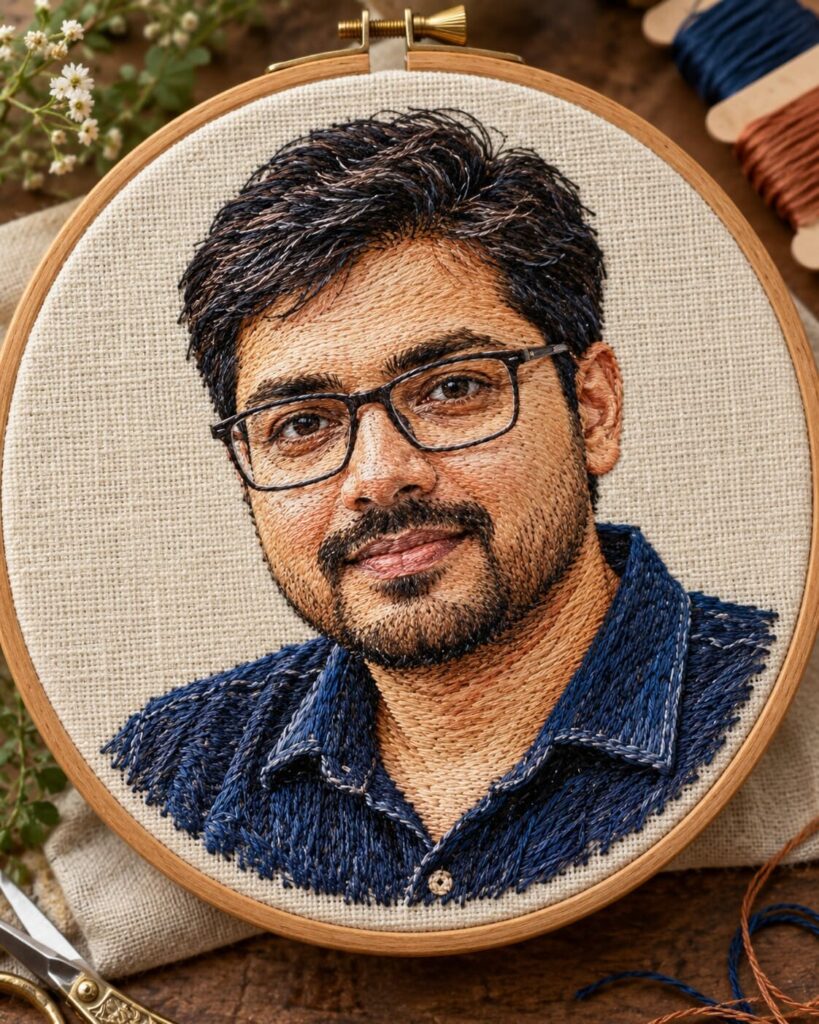
Embroidered Thread-Art Portrait
♡ 17Transform your uploaded photo into tactile handmade embroidery artwork with visible stitches, linen texture, layered threads, and exact identity preservation.
#Experimental Digital Art#craft photography#embroidered portrait#experimental AI art#linen portrait#textile art
Transform the uploaded reference image into a photorealistic handmade embroidered thread-art portrait. Preserve the exact recognizable identity of the person, including facial structure, proportions, eyes, eyebrows, nose, lips, jawline, cheeks, skin tone, hairline, hairstyle, distinctive features, natural age, and overall likeness. Recreate the portrait entirely with layered embroidery stitches on natural ivory linen. Use extremely fine satin stitches for facial contours, dense precise stitching around the eyes and lips, individually directional threads for hair, larger decorative stitches for clothing, visible linen weave, loose thread ends, realistic stitch tension, subtle handmade imperfections, raised thread shadows, and layered textile depth. Place the artwork inside a simple wooden embroidery hoop and photograph it as a real physical handmade object with soft directional studio lighting, macro-detail, natural material texture, restrained colors, and premium craft-photography realism.
Transform the uploaded reference image into a photorealistic handmade embroidered thread-art portrait. Preserve the exact recognizable identity of the person, including facial structure, proportions, eyes, eyebrows, nose, lips, jawline, cheeks, skin tone, hairline, hairstyle, distinctive features, natural age, and overall likeness. Recreate the portrait entirely with layered embroidery stitches on natural ivory linen. Use extremely fine satin stitches for facial contours, dense precise stitching around the eyes and lips, individually directional threads for hair, larger decorative stitches for clothing, visible linen weave, loose thread ends, realistic stitch tension, subtle handmade imperfections, raised thread shadows, and layered textile depth. Place the artwork inside a simple wooden embroidery hoop and photograph it as a real physical handmade object with soft directional studio lighting, macro-detail, natural material texture, restrained colors, and premium craft-photography realism.
(photorealistic:1.3), (exact identity preservation:1.5), (embroidered thread-art portrait:1.4), handmade textile artwork, natural linen, precise facial stitching, realistic thread direction, satin stitch, detailed eyes, detailed lips, individual hair threads, visible fabric weave, loose fibers, raised stitch shadows, wooden embroidery hoop, tactile material realism, macro photography, soft studio lighting, subtle handmade imperfections, premium craft photography
Using the uploaded reference image as the exact identity reference, transform the same person into a highly detailed handmade embroidered portrait on natural ivory linen. Preserve the exact recognizable facial identity, facial structure, facial proportions, eyes, eyebrows, nose, lips, jawline, cheeks, skin tone, hairline, hairstyle, distinctive facial characteristics, natural age, and overall likeness. Recreate the entire portrait using layered embroidery stitches rather than painted pixels. Use fine satin stitches for facial contours, dense detailed stitching around the eyes and lips, individually directional threads for hair, larger decorative stitches for clothing, realistic linen weave, loose thread ends, subtle stitch imperfections, natural thread tension, and raised dimensional shadows. Place the artwork inside a simple wooden embroidery hoop. Use soft directional studio lighting so the raised stitches cast delicate physical shadows onto the linen. Photograph the finished piece from a slightly elevated close-up angle with a macro craft-photography aesthetic. Preserve realistic textile fibers, material depth, natural muted colors, and handcrafted imperfections. The result should look like a genuine physical embroidery artwork created by a skilled textile artist, not a flat illustration or digital painting.
generic face, different person, identity drift, simplified facial features, altered facial proportions, changed eyes, changed eyebrows, changed nose, changed lips, changed jawline, changed cheeks, changed skin tone, changed hairline, changed hairstyle, cartoon face, digital painting, flat illustration, vector art, smooth fabric, printed image on fabric, photorealistic face pasted onto embroidery, plastic thread, synthetic CGI fabric, perfect machine embroidery, overly clean stitches, melted threads, tangled thread mess, missing facial details, distorted anatomy, duplicate face, blurry artwork, low resolution, excessive saturation, text, watermark, logo
Works with
✦GPT Image✦Google Gemini✦Midjourney✦Flux✦SDXL
Comments