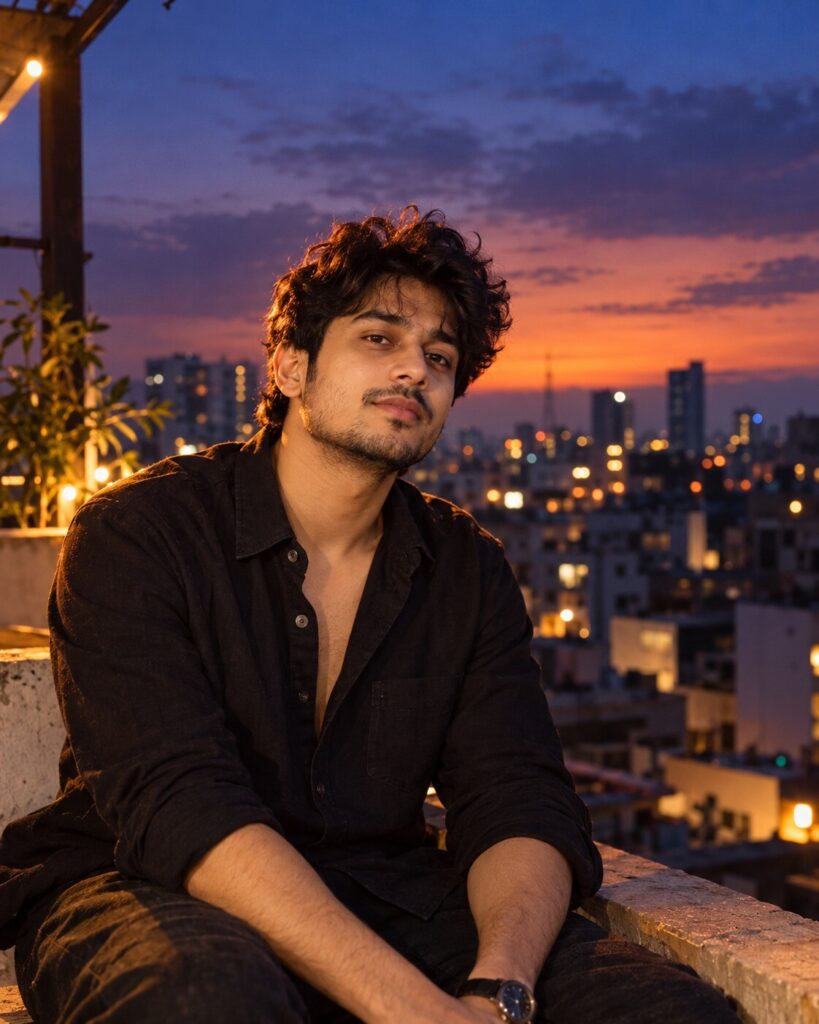
Lofi Dusk Cinematic Portrait
♡ 8Create a cinematic lofi dusk portrait from your uploaded photo with warm rim light, violet-blue shadows, soft flash, realistic skin and subtle film grain.
Use the uploaded photo as the exact identity reference. Create a photorealistic Lofi Dusk cinematic portrait of the same person on an urban rooftop immediately after sunset. Preserve recognizable facial identity, facial structure, facial proportions, eyes, eyebrows, nose, lips, jawline, cheeks, skin tone, hairline, hairstyle, distinctive facial characteristics, natural age and overall likeness exactly. Warm amber practical light creates a subtle rim around the hair and shoulders while cool violet-blue blue-hour ambient light fills the scene. Add restrained soft front flash, realistic skin texture, natural pores, subtle bloom, fine analog film grain, low-light sensor texture, shallow depth of field and softly blurred city bokeh. Natural candid expression, premium photography, believable exposure, cinematic atmosphere, authentic photographic imperfections.
Use the uploaded photo as the exact identity reference. Create a photorealistic Lofi Dusk cinematic portrait of the same person on an urban rooftop immediately after sunset. Preserve recognizable facial identity, facial structure, facial proportions, eyes, eyebrows, nose, lips, jawline, cheeks, skin tone, hairline, hairstyle, distinctive facial characteristics, natural age and overall likeness exactly. Warm amber practical light creates a subtle rim around the hair and shoulders while cool violet-blue blue-hour ambient light fills the scene. Add restrained soft front flash, realistic skin texture, natural pores, subtle bloom, fine analog film grain, low-light sensor texture, shallow depth of field and softly blurred city bokeh. Natural candid expression, premium photography, believable exposure, cinematic atmosphere, authentic photographic imperfections.
Photorealistic identity-preserving portrait from the uploaded reference image, exact same person, exact recognizable face, blue-hour rooftop, warm amber rim light, cool violet shadows, soft front flash, realistic skin texture, natural pores, subtle film grain, gentle bloom, cinematic urban bokeh, authentic low-light photography, shallow depth of field, natural expression, realistic exposure, detailed facial features, premium editorial photograph.
Transform the uploaded reference photo into a photorealistic Lofi Dusk portrait while preserving the exact person and recognizable facial identity. Show the person on a rooftop immediately after sunset, with warm amber rim lighting against cool violet-blue twilight, subtle front flash, realistic skin texture, natural pores, gentle film grain, soft bloom and distant city bokeh. Make it look like an authentic cinematic photograph captured with a real camera.
face drift, different person, generic face, altered identity, changed facial structure, changed facial proportions, different eyes, different nose, different lips, different jawline, different skin tone, altered hairline, changed hairstyle, excessive beauty retouching, plastic skin, waxy skin, over-smoothing, over-sharpening, cartoon, illustration, anime, CGI, 3D render, fantasy face, distorted anatomy, asymmetrical eyes, deformed hands, extra fingers, duplicate person, excessive neon, oversaturated colors, extreme HDR, blown highlights, crushed blacks, excessive bloom, heavy haze, artificial bokeh, text, logo, watermark
Works with
✦ChatGPT Images✦Gemini✦Midjourney✦Flux✦SDXL
Comments