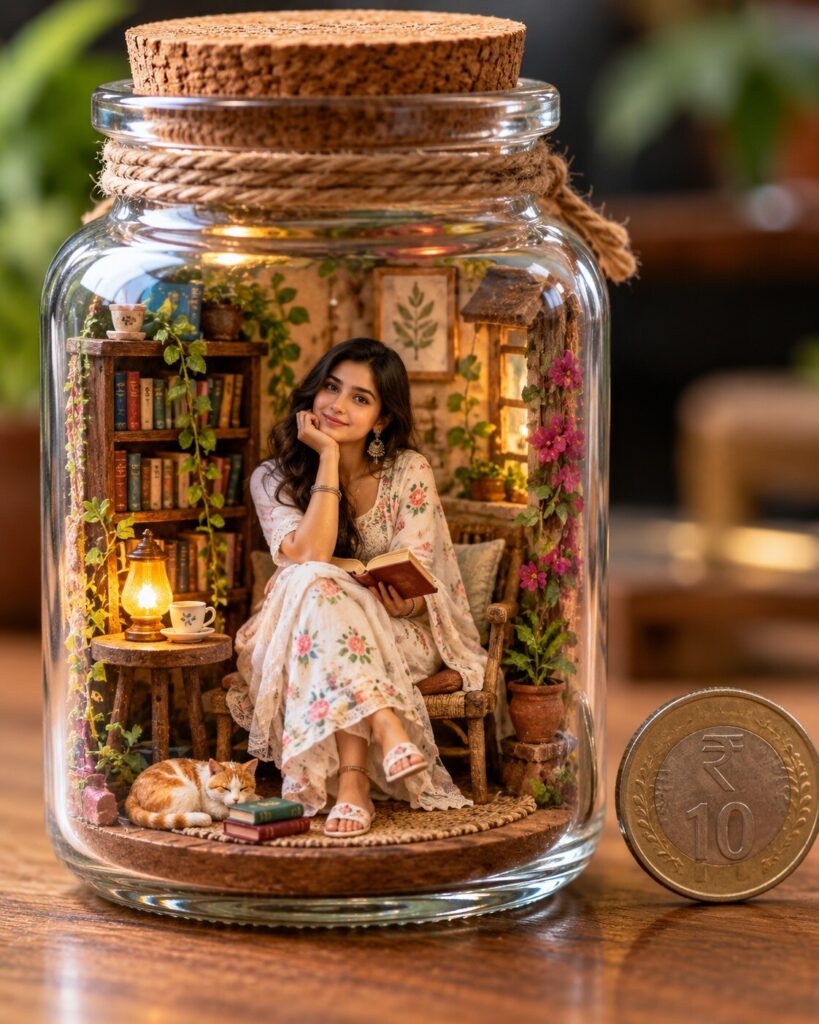
Miniature Diorama Portrait
♡ 10Transform your reference photo into a hyper-detailed miniature diorama while preserving your exact facial identity and recognizable appearance.
Transform the uploaded reference photo into a hyper-detailed miniature diorama portrait. Preserve the exact recognizable facial identity, facial proportions, hairstyle, skin tone, distinctive facial characteristics, clothing colors, and overall likeness. Place the same person as a tiny handcrafted figure inside a clear glass jar on a wooden tabletop, surrounded by a beautifully constructed miniature environment with realistic tiny props, handcrafted clay-like surfaces, fabric details, painted textures, subtle imperfections, believable scale, realistic shadows, macro photography, shallow depth of field, soft studio lighting, cinematic composition, and a real coin beside the jar for scale. Photorealistic physical miniature appearance, premium editorial quality, vertical 4:5.
Transform the uploaded reference photo into a hyper-detailed miniature diorama portrait. Preserve the exact recognizable facial identity, facial proportions, hairstyle, skin tone, distinctive facial characteristics, clothing colors, and overall likeness. Place the same person as a tiny handcrafted figure inside a clear glass jar on a wooden tabletop, surrounded by a beautifully constructed miniature environment with realistic tiny props, handcrafted clay-like surfaces, fabric details, painted textures, subtle imperfections, believable scale, realistic shadows, macro photography, shallow depth of field, soft studio lighting, cinematic composition, and a real coin beside the jar for scale. Photorealistic physical miniature appearance, premium editorial quality, vertical 4:5.
A hyper-detailed photorealistic miniature diorama portrait based on the uploaded reference image, same recognizable person and exact facial identity, preserved facial structure and proportions, recognizable eyes, eyebrows, nose, lips, jawline, cheeks, skin tone, hairline and hairstyle, tiny handcrafted figure standing inside a clear glass jar on a wooden tabletop, intricate miniature environment, handcrafted clay textures, realistic fabric folds, tiny props, subtle imperfections, believable physical scale, real coin beside the jar, macro photography, 85mm macro lens, shallow depth of field, realistic bokeh, soft studio lighting, delicate eye catchlights, natural shadows, cinematic editorial photography, premium miniature craftsmanship, photorealistic materials, vertical 4:5 composition
Use the uploaded photograph as the primary identity reference. Keep the person unmistakably recognizable with the same facial structure, proportions, eyes, eyebrows, nose, lips, jawline, cheeks, skin tone, hairline, hairstyle and distinctive facial characteristics. Turn the person into a beautifully handcrafted miniature figure inside a clear glass jar placed on a wooden tabletop. Build a detailed tiny world around the figure with miniature architecture, props, textured flooring, fabric details, clay-like handcrafted surfaces and subtle imperfections. Make the scene look physically constructed and photographed with a macro lens, shallow depth of field, realistic scale, soft studio lighting, natural shadows, delicate reflections on the glass and a real coin beside the jar for scale. Photorealistic, cinematic, premium editorial quality, vertical 4:5 composition.
generic face, identity drift, altered facial structure, different person, facial distortion, asymmetrical eyes, malformed eyes, changed nose, changed lips, changed jawline, changed skin tone, changed hairstyle, deformed hands, extra fingers, missing fingers, extra limbs, duplicate person, duplicate objects, oversized figure, impossible scale, floating objects, flat illustration, low detail, blurry face, plastic skin, excessive smoothing, artificial anatomy, poor lighting, harsh artifacts, text, watermark, logo
Works with
✦Nano Banana Pro for reference-image editing and miniature scene construction; GPT Image for identity-aware transformations; Midjourney for stylized miniature aesthetics; SDXL for controllable workflows; DALL-E for natural-language image editing.
Comments