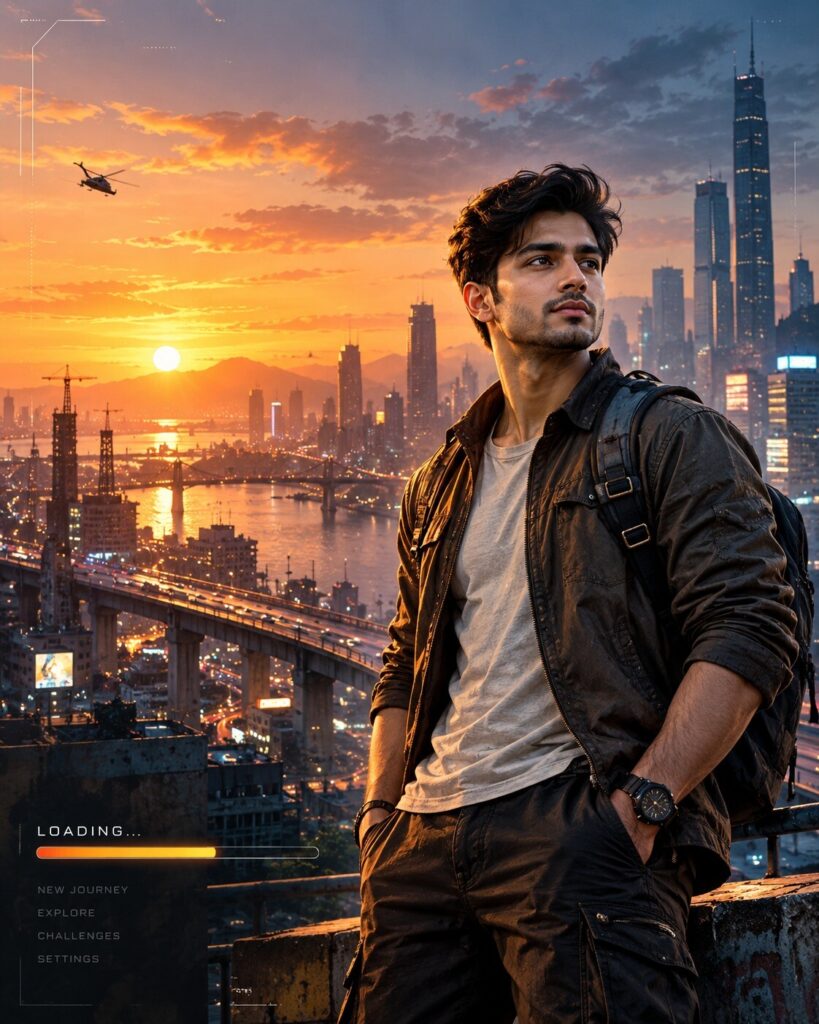
Open-World Game Loading Screen Portrait
♡ 7Transform your uploaded photo into premium open-world game key art while preserving your exact facial identity, hairstyle, skin tone, and recognizable features.
Transform the uploaded reference image into premium fictional open-world video game loading-screen key art. Preserve the exact identity of the person including facial structure, facial proportions, eyes, eyebrows, nose, lips, jawline, cheeks, skin tone, hairline, hairstyle, distinctive characteristics, natural age, and overall likeness. Create the person as a confident game protagonist in a cinematic modern city at sunset, with elevated roads, skyscrapers, rooftop structures, distant traffic, atmospheric haze, realistic streetwear, detailed fabric, practical accessories, semi-realistic AAA game-art rendering, dramatic warm sunset key light, cool blue city fill, subtle rim lighting, cinematic contrast, sharp facial detail, environmental storytelling, and sophisticated color grading. Position the character slightly right of center with negative space on the left for fictional UI elements. Include restrained fictional loading-screen interface details without real logos, brands, or copyrighted game assets.
Transform the uploaded reference image into premium fictional open-world video game loading-screen key art. Preserve the exact identity of the person including facial structure, facial proportions, eyes, eyebrows, nose, lips, jawline, cheeks, skin tone, hairline, hairstyle, distinctive characteristics, natural age, and overall likeness. Create the person as a confident game protagonist in a cinematic modern city at sunset, with elevated roads, skyscrapers, rooftop structures, distant traffic, atmospheric haze, realistic streetwear, detailed fabric, practical accessories, semi-realistic AAA game-art rendering, dramatic warm sunset key light, cool blue city fill, subtle rim lighting, cinematic contrast, sharp facial detail, environmental storytelling, and sophisticated color grading. Position the character slightly right of center with negative space on the left for fictional UI elements. Include restrained fictional loading-screen interface details without real logos, brands, or copyrighted game assets.
(exact identity preservation:1.4), (AAA game character key art:1.3), (open-world loading screen:1.3), same recognizable person, cinematic city, sunset skyline, elevated roads, realistic streetwear, semi-realistic game art, detailed face, natural skin texture, warm key light, cool ambient fill, rim lighting, atmospheric haze, environmental storytelling, sophisticated color grading, detailed architecture, fictional HUD elements, premium promotional artwork, sharp facial detail, realistic materials
Using the uploaded reference image as the exact identity reference, transform the same person into premium fictional open-world video game loading-screen key art. Preserve the exact recognizable facial identity, facial structure, facial proportions, eyes, eyebrows, nose, lips, jawline, cheeks, skin tone, hairline, hairstyle, distinctive facial characteristics, natural age, and overall likeness. Do not replace the face with a generic game character. Place the person as a confident protagonist in a cinematic modern city at sunset, surrounded by elevated roads, skyscrapers, rooftop structures, distant traffic, atmospheric haze, and detailed environmental storytelling. Give the subject sophisticated contemporary streetwear with realistic fabric and accessory textures. Use semi-realistic AAA game promotional art with highly detailed facial rendering, warm sunset illumination, cool blue city shadows, subtle rim lighting, cinematic contrast, premium color grading, and realistic atmospheric depth. Position the character slightly right of center and leave clean space on the left for fictional loading-screen interface elements. Add restrained fictional HUD shapes and loading indicators without real game logos, copyrighted characters, or recognizable franchise branding. Make the result look like polished official key art for a fictional open-world game.
generic face, different person, identity drift, altered facial structure, changed facial proportions, different eyes, changed eyebrows, altered nose, changed lips, changed jawline, changed cheeks, changed skin tone, changed hairline, changed hairstyle, generic game character, face replacement, excessive beautification, plastic skin, waxy skin, cartoon face, anime, chibi, low-poly character, crude CGI, distorted anatomy, oversized head, malformed hands, extra fingers, missing fingers, duplicate person, duplicate face, broken perspective, warped architecture, excessive bloom, oversaturated colors, muddy details, low resolution, blurry face, real game logo, copyrighted character, franchise branding, watermark, text artifacts
Works with
✦GPT Image✦Google Gemini✦Midjourney✦Flux✦SDXL
Comments