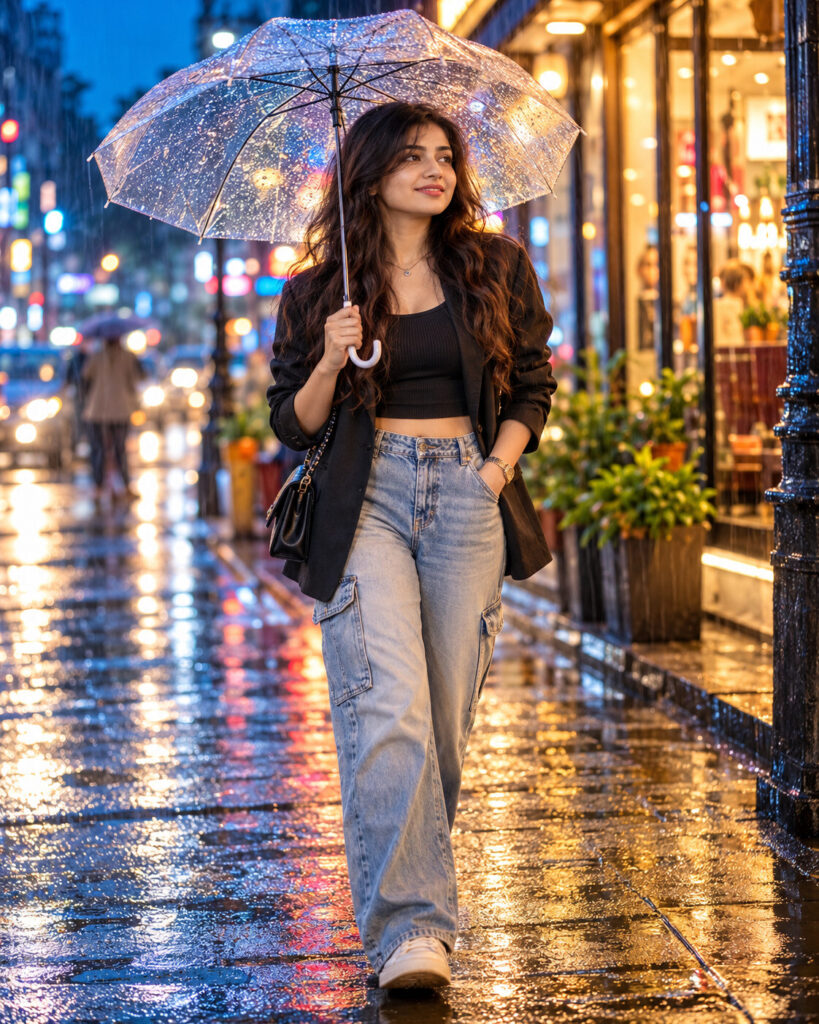
Vibrant Monsoon Streetscape Fashion Portrait
♡ 9Transform a reference photo into a cinematic monsoon street-fashion portrait with wet reflections, colorful storefronts, natural rain and contemporary styling while preserving exact identity.
#Street Fashion#cinematic street photography#monsoon fashion#rainy portrait#street fashion#umbrella portrait
Exact identity-preserving monsoon street-fashion portrait of the uploaded person walking beneath a transparent umbrella on a wet urban street, contemporary layered fashion, realistic rain droplets, colorful storefront bokeh, wet pavement reflections, warm amber shop lights, cool blue evening ambience, subtle hair rim light, candid walking pose, natural skin texture, cinematic street photography, premium fashion campaign realism.
Exact identity-preserving monsoon street-fashion portrait of the uploaded person walking beneath a transparent umbrella on a wet urban street, contemporary layered fashion, realistic rain droplets, colorful storefront bokeh, wet pavement reflections, warm amber shop lights, cool blue evening ambience, subtle hair rim light, candid walking pose, natural skin texture, cinematic street photography, premium fashion campaign realism.
exact identity preservation, monsoon street fashion, rainy city portrait, transparent umbrella, wet pavement reflections, storefront bokeh, blue hour photography, cinematic street fashion, natural rain, candid walking portrait, realistic skin texture --ar 4:5 --style raw --stylize 90
Create a photorealistic 4:5 monsoon street-fashion portrait using the uploaded image as the exact identity reference. Preserve the person's facial identity, facial structure, facial proportions, eyes, eyebrows, nose, lips, jawline, cheeks, skin tone, hairline, hairstyle, distinctive features and natural age. Place the same person walking naturally beneath a transparent umbrella on a lively urban street after rainfall. Dress the subject in contemporary sophisticated street fashion. Add wet pavement with realistic reflections, colorful storefronts, distant pedestrians and subtle traffic. Use warm amber shop lighting against cool blue evening ambience, with delicate rim light around the hair. Preserve natural skin pores, realistic rain droplets, authentic fabric texture and believable reflections. Capture a candid walking moment with cinematic street-photography color grading and subtle film grain.
different person, changed identity, generic face, altered facial structure, changed eye shape, enlarged eyes, distorted nose, distorted lips, warped jaw, plastic skin, excessive beauty retouching, artificial skin, distorted hands, extra fingers, malformed umbrella, impossible rain, fake reflections, excessive neon, oversaturated colors, unreadable floating text, logos, cartoon, illustration, CGI, low resolution, blurry face, extreme HDR, excessive sharpening, studio background
Works with
✦ChatGPT image generation✦Gemini✦Midjourney✦SDXL
Comments