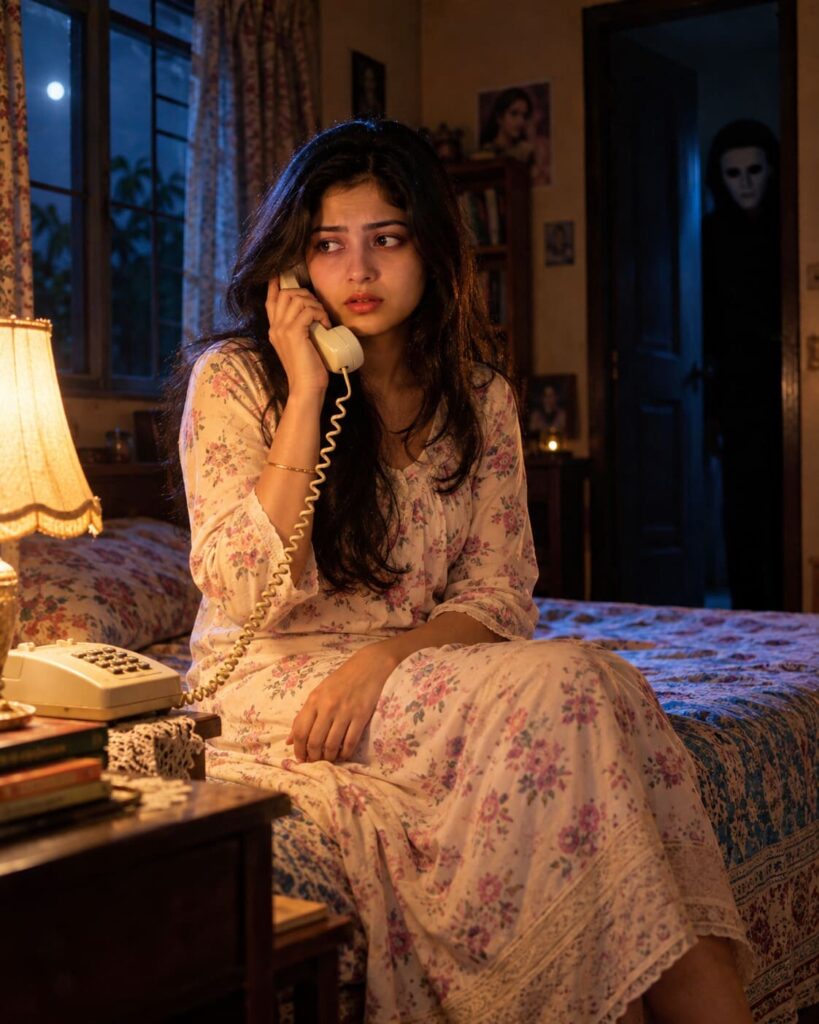
AI Masked Horror Photobomb Portrait
♡ 11Transform an uploaded portrait into a cinematic 90s-inspired horror photograph with the same person sharply preserved in the foreground and an eerie masked figure subtly lurking in the background.
#Surreal Portrait#cinematic portrait#Halloween AI#horror portrait#identity preservation#masked photobomb
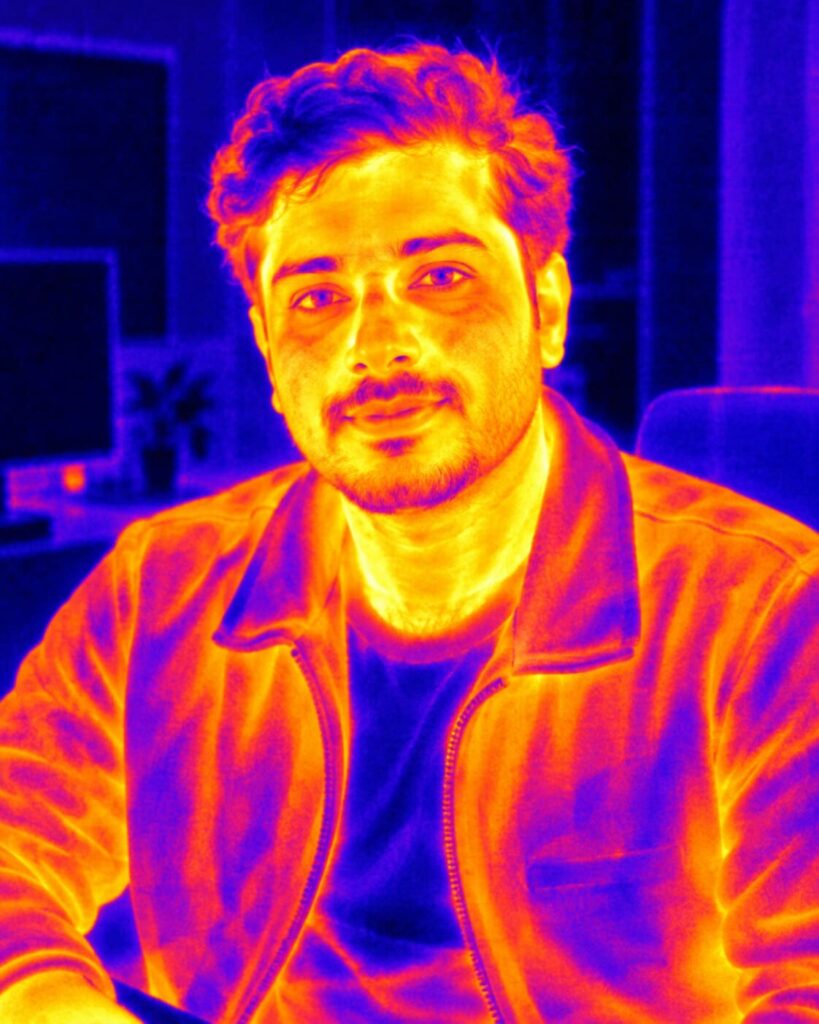
Transform the uploaded reference image into a photorealistic professional thermal-camera portrait. Preserve the exact recognizable facial identity, facial structure, proportions, eyes, eyebrows, nose, lips, cheeks, jawline, chin, natural age, hairline, hairstyle, pose and anatomy. Reconstruct the scene as genuine long-wave infrared thermal imagery rather than applying a simple color filter. Show believable heat gradients across exposed skin, clothing and environmental materials. Use a restrained false-color thermal palette with warm yellow, orange and red highlights transitioning into violet, blue and dark cooler regions. Add subtle sensor noise, fine pixel structure, realistic edge blooming and authentic thermal-camera contrast. Keep facial structure recognizable, avoid supernatural effects, preserve realistic anatomy and environmental temperature relationships. No text or watermark. 4:5 portrait.
Transform the uploaded reference image into a photorealistic professional thermal-camera portrait. Preserve the exact recognizable facial identity, facial structure, proportions, eyes, eyebrows, nose, lips, cheeks, jawline, chin, natural age, hairline, hairstyle, pose and anatomy. Reconstruct the scene as genuine long-wave infrared thermal imagery rather than applying a simple color filter. Show believable heat gradients across exposed skin, clothing and environmental materials. Use a restrained false-color thermal palette with warm yellow, orange and red highlights transitioning into violet, blue and dark cooler regions. Add subtle sensor noise, fine pixel structure, realistic edge blooming and authentic thermal-camera contrast. Keep facial structure recognizable, avoid supernatural effects, preserve realistic anatomy and environmental temperature relationships. No text or watermark. 4:5 portrait.
Photorealistic thermal imaging portrait using the uploaded reference image as the strict identity reference, same recognizable person, identical facial structure and proportions, same eyes, eyebrows, nose, lips, cheeks, jawline, chin, natural age, hairline and hairstyle, preserve original pose and anatomy, genuine long-wave infrared thermal camera appearance, realistic heat distribution across exposed skin, clothing and environmental materials, believable temperature gradients, restrained false-color thermal palette, warm yellow orange red regions transitioning into violet blue dark cooler regions, subtle sensor noise, fine pixel structure, controlled edge blooming, realistic thermal contrast, coherent environmental heat signatures, recognizable face, scientific imaging realism, vertical 4:5 composition
Transform the uploaded reference image into a photorealistic professional thermal-camera portrait. Preserve the persons exact recognizable facial identity, facial structure, facial proportions, face shape, eyes, eyebrows, nose, lips, cheeks, jawline, chin, natural age, hairline, hairstyle, distinctive characteristics, pose and body proportions. Do not replace or redesign the face. Reconstruct the photograph as genuine long-wave infrared thermal imaging rather than applying a normal color filter. Show realistic heat patterns: exposed skin should generally appear warmer than clothing and cooler environmental surfaces, with believable temperature gradients across the face, neck, hands and surroundings. Use a restrained false-color thermal palette with warm yellow, orange and red areas transitioning into violet, blue and dark cooler areas. Include subtle thermal sensor noise, fine pixel structure, realistic contrast and slight heat blooming around genuinely warmer regions. Different materials such as metal, glass, walls and vegetation should respond differently according to plausible thermal behavior. Keep the face recognizable and avoid supernatural glowing effects. The result should look like an authentic professional thermal imaging camera capture. Vertical 4:5 portrait.
different person, different face, identity change, face swap error, generic AI face, altered facial structure, altered facial proportions, changed face shape, changed eyes, changed eyebrows, changed nose, changed lips, changed cheeks, changed jawline, changed chin, changed natural age, changed hairline, changed hairstyle, deformed anatomy, bad hands, extra fingers, extra limbs, duplicate person, supernatural glowing eyes, fantasy energy, magical heat effects, simple color overlay, unrealistic heat map, excessive neon, melted face, distorted thermal geometry, inconsistent temperature gradients, unrealistic material response, excessive blur, low detail, CGI, cartoon, anime, illustration, excessive HDR, text, logo, watermark
Works with
✦GPT Image✦Gemini✦Midjourney✦SDXL
Comments