Black Horse Aura – Cinematic Fashion Portrait
♡ 12Create a powerful cinematic fashion portrait from your photo with an imposing black horse while preserving your exact facial identity and natural likeness.
#Fashion Portrait#AI portrait#aura portrait#black and white photography#black horse portrait#cinematic horse
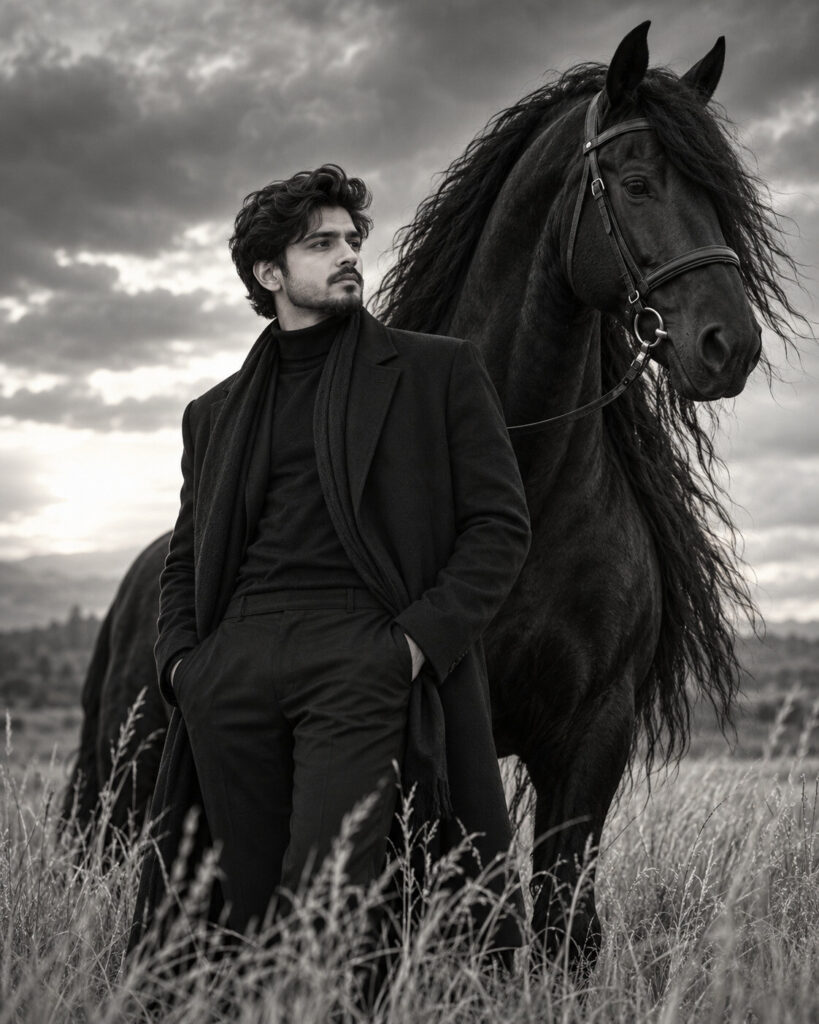
Create a photorealistic cinematic fashion portrait using the uploaded photo as the exact identity reference. Preserve the same recognizable face, facial structure, proportions, eyes, eyebrows, nose, lips, jawline, cheeks, ears, skin tone, natural age, hairline, hairstyle and distinctive facial features. Do not alter or beautify the face. Style the same person in sophisticated all-black fashion beside a majestic black Friesian horse. The horse stands slightly behind with a long flowing mane and realistic anatomy. Set the scene in an open field with tall dry grass and dramatic cloudy skies. Use dramatic soft directional light, monochrome black-and-white fine-art photography, subtle film grain, natural skin texture, realistic fabric and horse hair, shallow depth of field, premium editorial fashion photography, powerful calm mood, vertical 4:5 composition.
Create a photorealistic cinematic fashion portrait using the uploaded photo as the exact identity reference. Preserve the same recognizable face, facial structure, proportions, eyes, eyebrows, nose, lips, jawline, cheeks, ears, skin tone, natural age, hairline, hairstyle and distinctive facial features. Do not alter or beautify the face. Style the same person in sophisticated all-black fashion beside a majestic black Friesian horse. The horse stands slightly behind with a long flowing mane and realistic anatomy. Set the scene in an open field with tall dry grass and dramatic cloudy skies. Use dramatic soft directional light, monochrome black-and-white fine-art photography, subtle film grain, natural skin texture, realistic fabric and horse hair, shallow depth of field, premium editorial fashion photography, powerful calm mood, vertical 4:5 composition.
Photorealistic black-and-white fashion portrait, exact uploaded identity, same facial proportions, natural skin texture, sophisticated black outfit, powerful black Friesian horse behind subject, realistic horse anatomy, flowing mane, open field, dry grass, dramatic cloudy sky, soft directional light, cinematic shadows, fine-art photography, subtle film grain, premium editorial styling, realistic clothing texture, sharp face, detailed horse, vertical 4:5
Create a dramatic luxury fashion portrait of the person in the uploaded reference photo standing beside a majestic black Friesian horse. Preserve the person's exact recognizable face, facial structure, skin tone, age, hairstyle and distinctive features. Dress the subject in elegant black contemporary clothing and place them in a windswept open field under a dramatic cloudy sky. Render the image as sophisticated black-and-white fine-art fashion photography with realistic horse details, cinematic light, natural skin texture and subtle film grain.
generic face, different person, identity drift, altered facial structure, changed eyes, changed eyebrows, changed nose, changed lips, changed jawline, changed cheeks, different skin tone, changed age, altered hairline, altered hairstyle, facial beautification, plastic skin, excessive retouching, cartoon, anime, illustration, CGI appearance, deformed horse, malformed horse anatomy, extra legs, duplicate horse, extra people, duplicate person, distorted hands, extra fingers, floating reins, unrealistic clothing, artificial horse mane, blurry face, low resolution, oversharpening, extreme HDR, excessive contrast, text, caption, logo, watermark
Works with
✦GPT Image✦Gemini image models✦Nano Banana✦Flux✦Midjourney
Comments