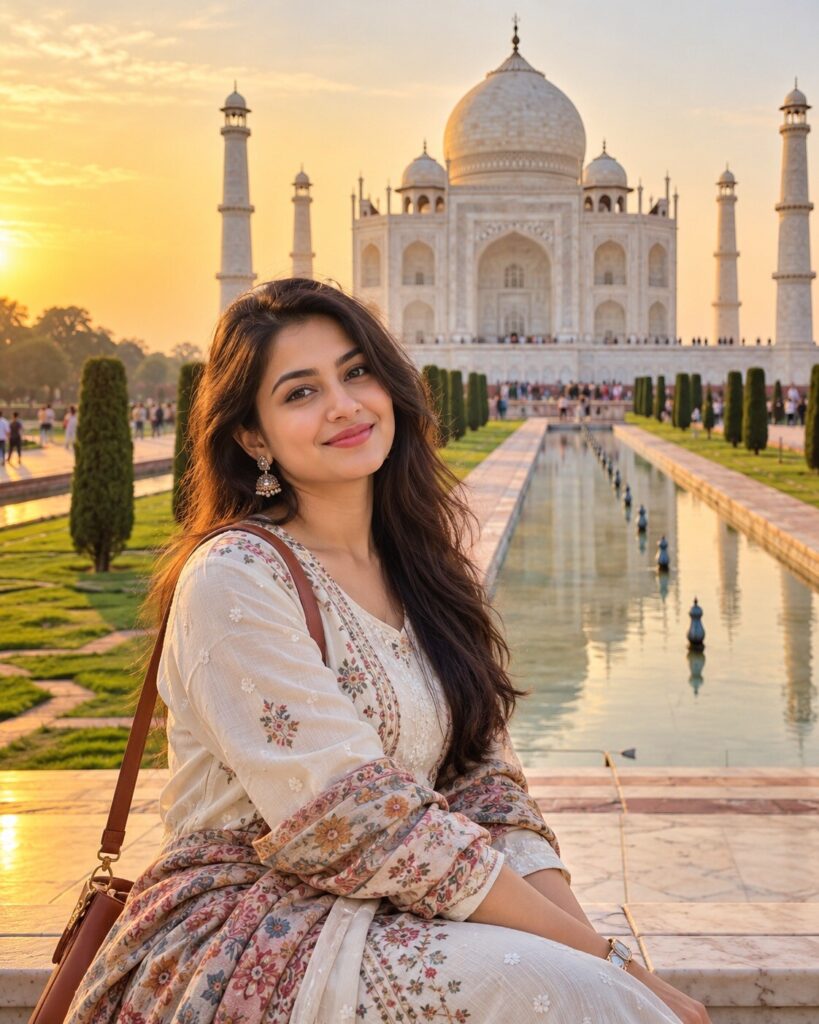
Cinematic Taj Mahal Travel Portrait
♡ 10Transform your uploaded photo into a premium cinematic travel portrait at the Taj Mahal with realistic Mughal architecture and exact identity preservation.
Create a photorealistic cinematic travel portrait using the uploaded reference image as the exact identity anchor. Preserve facial identity, facial structure, proportions, eyes, eyebrows, nose, lips, jawline, cheeks, skin tone, hairline, hairstyle, natural age, and distinctive characteristics. Place the same person naturally in the central Mughal gardens of the Taj Mahal in Agra, with the white marble monument accurately visible behind them. Use symmetrical garden pathways, reflecting pool, cypress trees, distant visitors, realistic architectural proportions, sophisticated contemporary travel clothing, natural relaxed posture, late-afternoon golden light, soft facial illumination, warm marble highlights, realistic shadows, subtle atmospheric haze, 50mm full-frame photography, moderate shallow depth of field, natural skin texture, accurate anatomy, restrained cinematic grading, and authentic travel-photography realism.
Create a photorealistic cinematic travel portrait using the uploaded reference image as the exact identity anchor. Preserve facial identity, facial structure, proportions, eyes, eyebrows, nose, lips, jawline, cheeks, skin tone, hairline, hairstyle, natural age, and distinctive characteristics. Place the same person naturally in the central Mughal gardens of the Taj Mahal in Agra, with the white marble monument accurately visible behind them. Use symmetrical garden pathways, reflecting pool, cypress trees, distant visitors, realistic architectural proportions, sophisticated contemporary travel clothing, natural relaxed posture, late-afternoon golden light, soft facial illumination, warm marble highlights, realistic shadows, subtle atmospheric haze, 50mm full-frame photography, moderate shallow depth of field, natural skin texture, accurate anatomy, restrained cinematic grading, and authentic travel-photography realism.
(photorealistic:1.4), (exact identity preservation:1.4), (cinematic travel portrait:1.3), Taj Mahal, Agra India, accurate Mughal architecture, symmetrical gardens, reflecting pool, cypress trees, same recognizable person, natural travel pose, realistic skin texture, golden-hour daylight, soft facial illumination, warm marble highlights, 50mm photography, moderate shallow depth of field, atmospheric haze, authentic tourist environment, realistic anatomy, premium travel photography, restrained cinematic color grade
Using the uploaded reference image as the exact identity reference, create a photorealistic cinematic travel portrait of the same person visiting the Taj Mahal in Agra, India. Preserve the exact recognizable facial identity, facial structure, facial proportions, eyes, eyebrows, nose, lips, jawline, cheeks, skin tone, hairline, hairstyle, distinctive facial characteristics, natural age, and overall likeness. Place the person naturally in the central Mughal garden with the Taj Mahal clearly visible behind them. Preserve accurate architectural proportions, the central white marble dome, four minarets, arches, reflecting pool, symmetrical garden paths, cypress trees, and believable visitor scale. Dress the person in sophisticated contemporary travel clothing and give them a relaxed natural expression and posture. Use late-afternoon golden light with soft illumination on the face, warm highlights on the marble, realistic shadows, subtle atmospheric haze, and natural environmental reflections. Compose the image vertically using the garden symmetry and reflecting pool as leading lines. Use a 50mm full-frame photographic perspective, moderate shallow depth of field, natural skin pores, realistic anatomy, subtle optical rendering, restrained cinematic color grading, and authentic professional travel photography. Include a few distant tourists for scale without distracting from the subject. The result should look like a genuine photograph captured during an actual Taj Mahal visit, not an AI-generated fantasy scene.
generic face, different person, identity drift, altered facial structure, changed facial proportions, different eyes, changed eyebrows, altered nose, changed lips, changed jawline, changed cheeks, changed skin tone, changed hairline, changed hairstyle, excessive beautification, plastic skin, waxy skin, distorted Taj Mahal, warped dome, crooked minarets, fantasy architecture, oversized monument, duplicated monument, excessive tourists, duplicated people, malformed hands, extra fingers, distorted anatomy, cartoon, anime, CGI, 3D render, artificial HDR, excessive glow, fake lens flare, oversaturated colors, blurry face, text, watermark, logo
Works with
✦GPT Image✦Google Gemini✦Midjourney✦Flux✦SDXL
Comments