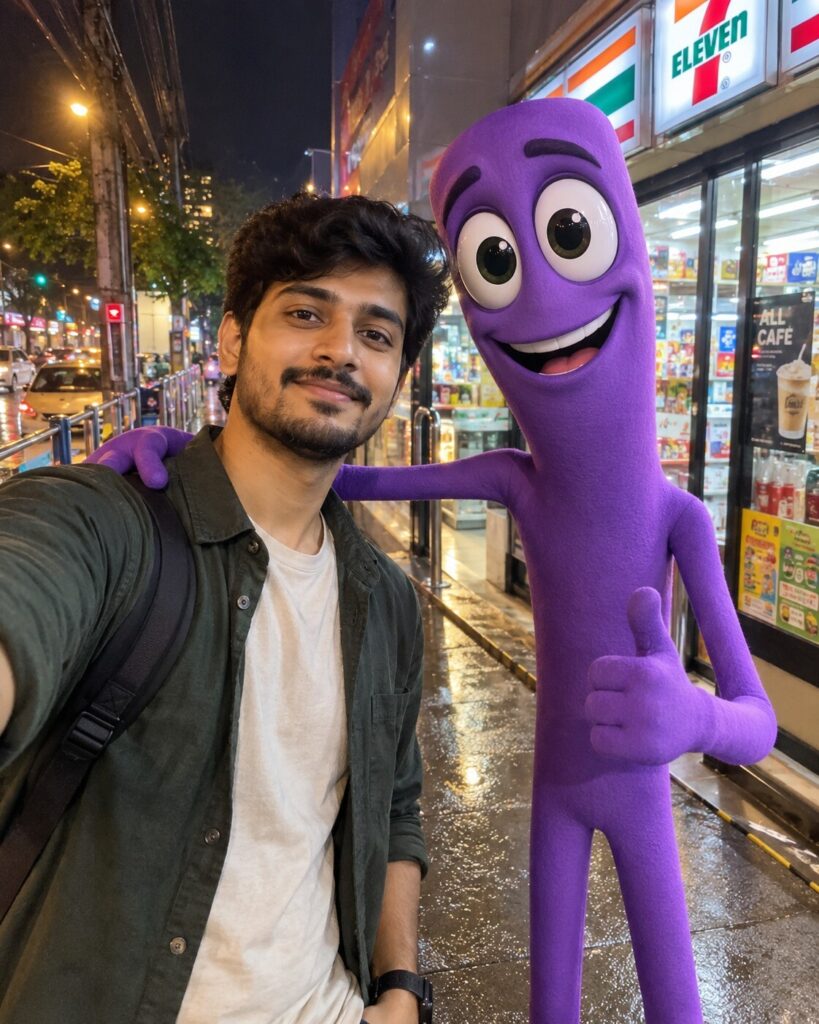
Digital Circus Real-Life Mascot Selfie — Surreal Photorealistic Composite
♡ 3Turn a reference selfie into a surreal real-life scene with an integrated 3D cartoon mascot while preserving the subject's exact facial identity and photographic realism.
#Surreal Portrait#AI mascot#cartoon composite#Digital Circus#photorealistic composite#surreal selfie
Use the uploaded reference image as the exact identity reference. Preserve recognizable facial identity, facial structure, facial proportions, eyes, eyebrows, nose, lips, jawline, cheeks, skin tone, hairline, hairstyle, distinctive facial characteristics, natural age, body proportions, and overall likeness. Place the person naturally in a photorealistic nighttime convenience-store or urban street scene beside a tall slender purple 3D cartoon mascot with oversized expressive eyes. Integrate the mascot physically into the environment with correct perspective, scale, contact shadows, reflections, depth of field, atmospheric haze, and matching light direction. Maintain realistic skin texture, smartphone-camera characteristics, natural low-light exposure, mild sensor noise, authentic reflections and believable environmental detail. The result should feel like a spontaneous real photograph containing an impossible animated character.
Use the uploaded reference image as the exact identity reference. Preserve recognizable facial identity, facial structure, facial proportions, eyes, eyebrows, nose, lips, jawline, cheeks, skin tone, hairline, hairstyle, distinctive facial characteristics, natural age, body proportions, and overall likeness. Place the person naturally in a photorealistic nighttime convenience-store or urban street scene beside a tall slender purple 3D cartoon mascot with oversized expressive eyes. Integrate the mascot physically into the environment with correct perspective, scale, contact shadows, reflections, depth of field, atmospheric haze, and matching light direction. Maintain realistic skin texture, smartphone-camera characteristics, natural low-light exposure, mild sensor noise, authentic reflections and believable environmental detail. The result should feel like a spontaneous real photograph containing an impossible animated character.
Photorealistic surreal portrait using the uploaded reference image as an exact identity reference. Preserve facial structure, facial proportions, eyes, eyebrows, nose, lips, jawline, cheeks, skin tone, hairline, hairstyle, age and distinctive characteristics. Person standing naturally beside a tall purple 3D cartoon mascot with oversized expressive eyes at a realistic nighttime convenience store. Match perspective, scale, lighting, contact shadows, reflections and depth of field. Authentic smartphone photography, realistic low-light exposure, subtle sensor noise, natural skin texture, cinematic environmental detail, physically integrated cartoon character.
Using the uploaded reference photograph, preserve the person's exact identity and create a realistic nighttime photograph in which the person is standing beside a tall slender purple 3D cartoon mascot with oversized expressive eyes. The mascot should be physically integrated into a real convenience-store or urban street environment with accurate perspective, reflections, contact shadows, matching illumination and realistic depth of field. Keep the human photorealistic and preserve natural facial characteristics. The final image should look like a genuine smartphone photograph of an impossible cartoon character standing in the real world.
generic face, changed identity, different person, altered facial proportions, different eyes, different nose, different lips, different jawline, changed skin tone, changed age, plastic skin, beauty filter, cartoon human, illustration, anime, mascot pasted onto image, floating character, wrong perspective, incorrect scale, no contact shadow, mismatched lighting, flat character, poor integration, distorted anatomy, extra limbs, duplicate person, duplicate mascot, deformed eyes, excessive glow, fantasy background, completely animated environment, CGI-only scene, excessive blur, oversaturation, artificial HDR, text, watermark, logo
Works with
✦GPT Image✦Nano Banana✦Midjourney✦FLUX
Comments