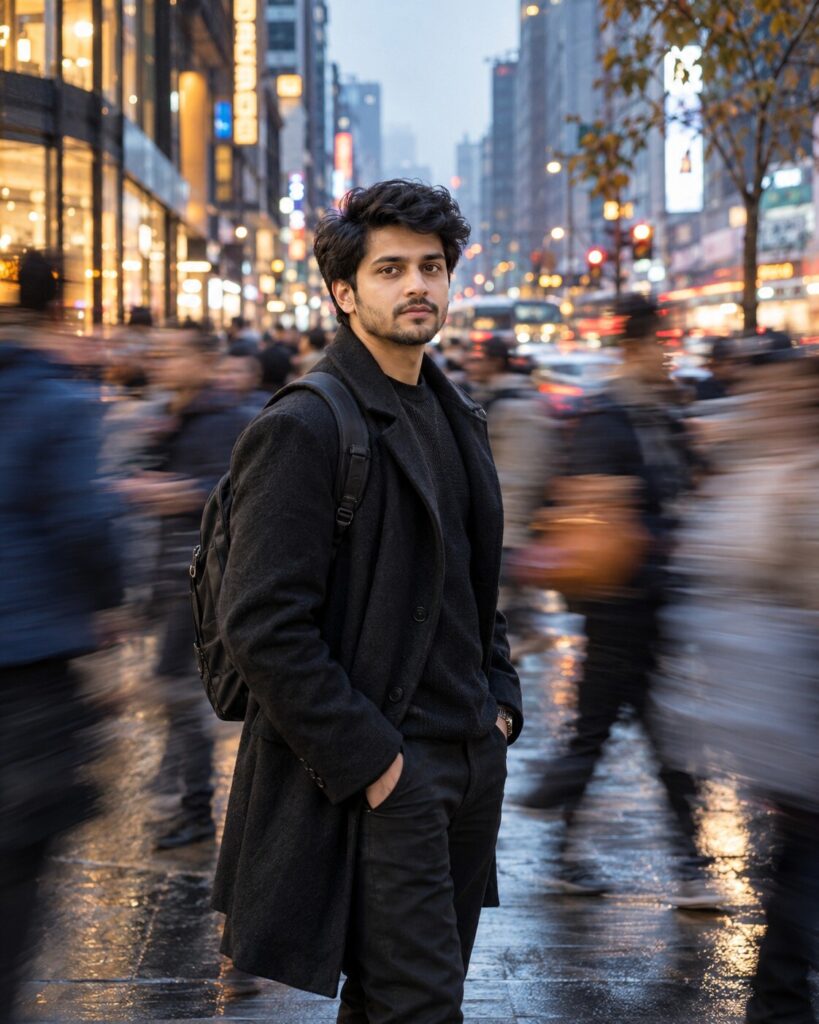
Frozen-in-Time Urban Crowd Portrait
♡ 10Turn your uploaded photo into a cinematic city portrait where you remain perfectly sharp while a moving crowd becomes dramatic horizontal motion trails.
#Environmental Portrait#AI photo#cinematic photography#city photography#environmental portrait#motion blur
Use the uploaded reference photo as the exact identity source. Create a photorealistic cinematic urban portrait of the same person standing completely still in a crowded city street. Preserve recognizable facial identity, facial structure, facial proportions, eyes, eyebrows, nose, lips, jawline, cheeks, skin tone, natural age, hairline, hairstyle and distinctive facial details exactly. Keep the person perfectly sharp while surrounding pedestrians move rapidly with realistic horizontal motion blur. Contemporary urban streetwear, modern downtown architecture, traffic lights, storefront reflections, wet pavement, atmospheric haze and distant warm bokeh. Slow-shutter photography with subject tracking, realistic optical motion blur, 50mm perspective, shallow depth of field, natural skin texture, cool blue-gray ambient tones with restrained amber highlights, subtle film grain and premium editorial street photography.
Use the uploaded reference photo as the exact identity source. Create a photorealistic cinematic urban portrait of the same person standing completely still in a crowded city street. Preserve recognizable facial identity, facial structure, facial proportions, eyes, eyebrows, nose, lips, jawline, cheeks, skin tone, natural age, hairline, hairstyle and distinctive facial details exactly. Keep the person perfectly sharp while surrounding pedestrians move rapidly with realistic horizontal motion blur. Contemporary urban streetwear, modern downtown architecture, traffic lights, storefront reflections, wet pavement, atmospheric haze and distant warm bokeh. Slow-shutter photography with subject tracking, realistic optical motion blur, 50mm perspective, shallow depth of field, natural skin texture, cool blue-gray ambient tones with restrained amber highlights, subtle film grain and premium editorial street photography.
Create a highly realistic cinematic urban portrait of the exact person from the uploaded reference image. Preserve exact facial identity and natural facial characteristics. Keep the person perfectly sharp and motionless in a crowded city while surrounding pedestrians move rapidly with horizontal optical motion blur. Use modern architecture, wet pavement reflections, traffic lights, atmospheric haze, cool blue-gray tones, subtle warm bokeh, realistic skin texture, natural clothing detail, shallow depth of field and premium cinematic street photography.
Transform the uploaded reference photo into a cinematic urban portrait of the same person standing completely still in the center of a busy modern city street. Preserve the exact facial identity and natural appearance. Surround the subject with rapidly moving pedestrians rendered as realistic horizontal motion trails while keeping the subject perfectly sharp. Add modern buildings, traffic lights, wet pavement reflections, atmospheric haze, cool blue-gray ambient light and restrained warm city bokeh. Make the result look like a genuine slow-shutter photograph captured with subject tracking.
identity drift, different person, generic face, altered facial structure, changed facial proportions, different eyes, changed nose, changed lips, altered jawline, changed cheeks, changed skin tone, changed age, different hairstyle, altered hairline, blurred face, blurred eyes, motion blur on main subject, smeared body, excessive radial blur, random blur direction, duplicate pedestrians, fused people, malformed anatomy, extra limbs, extra fingers, floating people, cartoon, anime, illustration, CGI, 3D render, plastic skin, excessive HDR, oversaturated colors, artificial reflections, unrealistic architecture, text, logo, watermark
Works with
✦ChatGPT Images✦Gemini✦Midjourney✦Flux✦SDXL
Comments