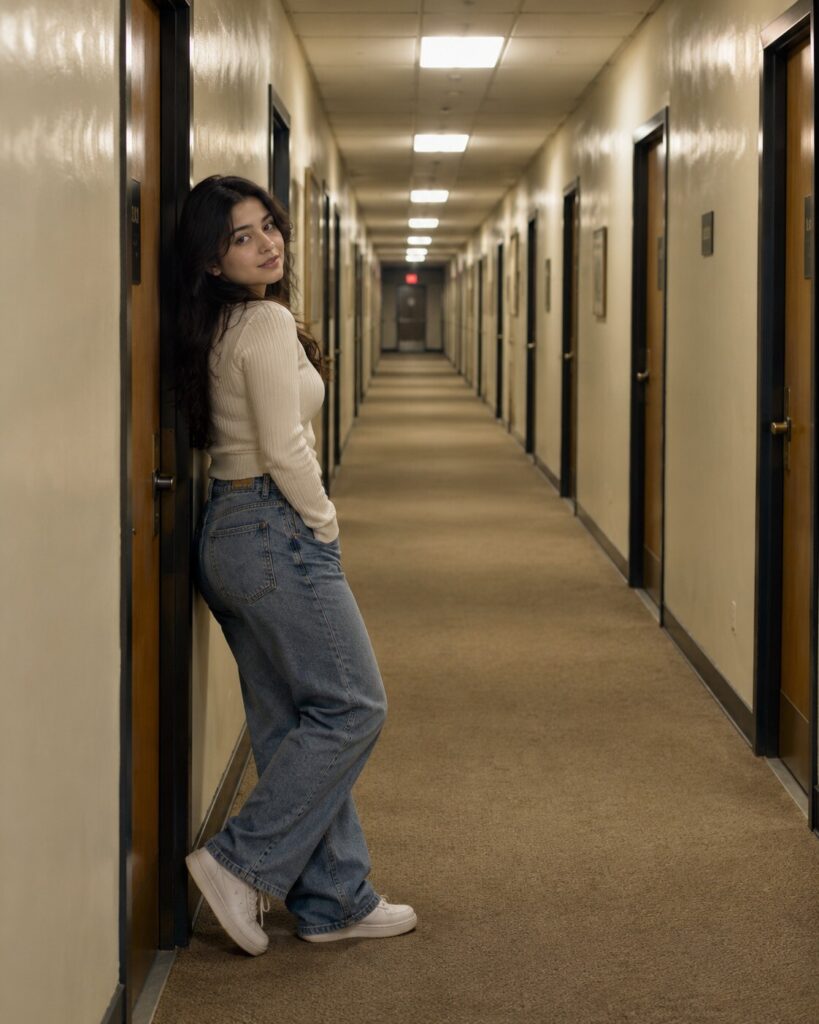
Liminal Dreamscape Reference Portrait
♡ 7Transform a reference photo into a realistic liminal-space portrait with an empty nostalgic corridor, fluorescent lighting, architectural depth and subtle uncanny atmosphere.
#Environmental Portrait#AI photography#backrooms aesthetic#dreamscape#liminal portrait#liminal space
Uploaded reference portrait, exact identity preservation, realistic liminal environmental portrait, solitary subject in an empty institutional corridor, beige carpet, aged cream walls, repeating doors, fluorescent ceiling lights, wide-angle architectural photography, precise vanishing point, realistic contact shadows, subtle atmospheric haze, nostalgic uncanny mood, photorealistic, 4:5.
Uploaded reference portrait, exact identity preservation, realistic liminal environmental portrait, solitary subject in an empty institutional corridor, beige carpet, aged cream walls, repeating doors, fluorescent ceiling lights, wide-angle architectural photography, precise vanishing point, realistic contact shadows, subtle atmospheric haze, nostalgic uncanny mood, photorealistic, 4:5.
Photorealistic liminal environmental portrait based on the uploaded reference image. Lock the subject's identity and preserve exact facial geometry, eyes, eyebrows, nose, lips, jawline, cheeks, skin tone, natural age, hairline, hairstyle and distinctive features. Place the subject alone inside an empty institutional corridor with beige carpet, faded cream walls, repeating doors and fluorescent ceiling fixtures. Use a true wide-angle architectural perspective, eye-level camera position, precise central vanishing point, realistic ceiling-grid alignment, consistent door spacing, natural contact shadows and practical fluorescent illumination. Add subtle atmospheric haze and nostalgic tonal treatment while keeping the image physically believable and photographic. 4:5 vertical composition.
Transform the uploaded reference photograph into a photorealistic liminal-space environmental portrait. Preserve the exact identity and recognizable likeness of the person, including facial structure, facial proportions, eyes, eyebrows, nose, lips, jawline, cheeks, skin tone, natural age, hairline, hairstyle and distinctive facial characteristics. Place the subject alone in a long empty institutional corridor with beige carpet, faded cream walls, repeating doors, acoustic ceiling tiles and fluorescent lights. Create realistic architectural perspective, consistent door spacing, physically accurate shadows and practical fluorescent illumination. The corridor should feel familiar, nostalgic and subtly uncanny without becoming a horror scene. Use realistic wide-angle photography, restrained atmospheric haze, natural skin texture and cinematic but believable tonal rendering. Vertical 4:5 composition.
generic face, different person, altered identity, facial reconstruction, changed facial proportions, different eyes, different nose, different lips, altered jawline, changed skin tone, younger face, older face, plastic skin, excessive beauty retouching, distorted anatomy, extra fingers, malformed hands, duplicated limbs, floating subject, pasted-on appearance, impossible architecture, warped ceiling tiles, crooked doors, inconsistent perspective, impossible reflections, fantasy corridor, monsters, gore, excessive horror effects, cartoon, illustration, CGI, excessive blur, oversaturation, watermark, text, logo
Works with
✦GPT Image 2.5✦GPT Image 2✦Gemini image models✦Midjourney✦FLUX

Comments