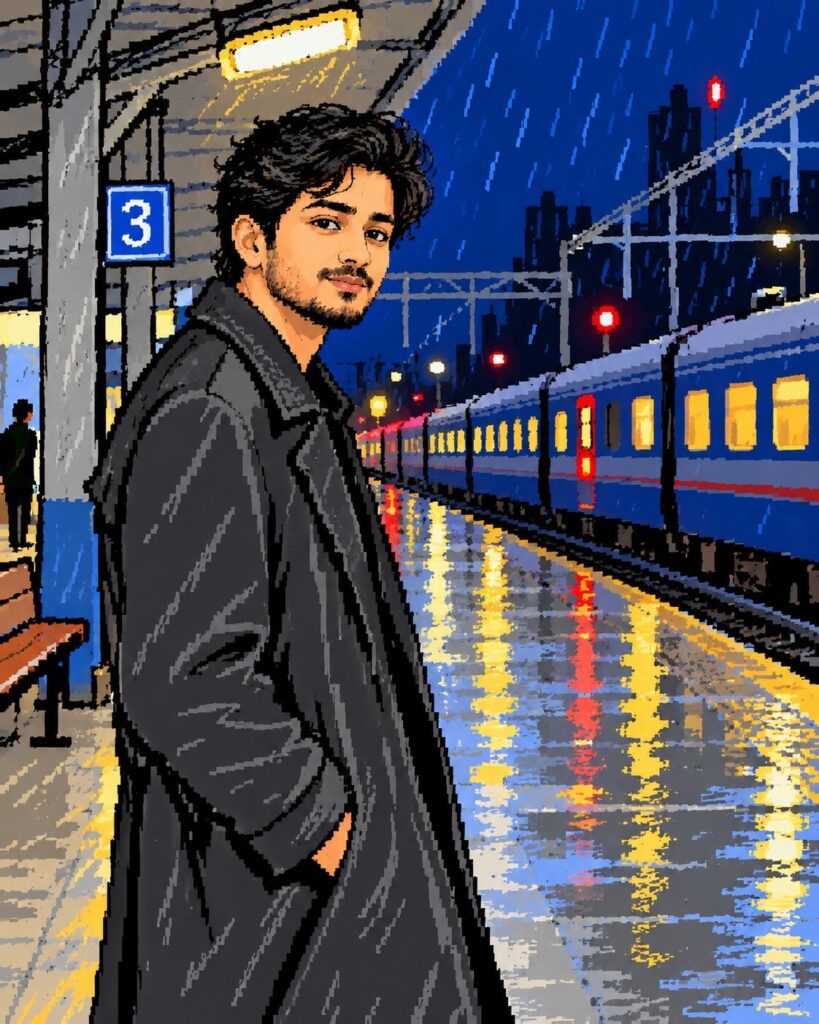
MS Paint Doodle Reference Portrait
♡ 9Turn your reference photo into a playful MS Paint-style digital doodle while preserving recognizable facial identity, pose and overall composition.
Recreate the uploaded image as a deliberately crude late-1990s MS Paint-style digital drawing. Preserve the person's recognizable facial identity, facial structure, proportions, eyes, eyebrows, nose, lips, jawline, cheeks, skin tone, hairline, hairstyle, natural age and distinctive characteristics. Preserve the original pose, body proportions, clothing silhouette and major background shapes. Use jagged freehand outlines, flat color fills, simple geometric forms, rough brush strokes, uneven edges, limited colors and primitive mouse-drawn details. Keep the face recognizable despite the crude style. Use approximately 12–16 flat colors, minimal shading, accidental-looking pixels and inconsistent line thickness. Avoid polished vector art, smooth digital painting and photorealism. Playful nostalgic old-computer drawing aesthetic, vertical 4:5.
Recreate the uploaded image as a deliberately crude late-1990s MS Paint-style digital drawing. Preserve the person's recognizable facial identity, facial structure, proportions, eyes, eyebrows, nose, lips, jawline, cheeks, skin tone, hairline, hairstyle, natural age and distinctive characteristics. Preserve the original pose, body proportions, clothing silhouette and major background shapes. Use jagged freehand outlines, flat color fills, simple geometric forms, rough brush strokes, uneven edges, limited colors and primitive mouse-drawn details. Keep the face recognizable despite the crude style. Use approximately 12–16 flat colors, minimal shading, accidental-looking pixels and inconsistent line thickness. Avoid polished vector art, smooth digital painting and photorealism. Playful nostalgic old-computer drawing aesthetic, vertical 4:5.
Primitive MS Paint-style digital portrait based on the uploaded reference image. Preserve facial identity, facial structure, proportions, eyes, eyebrows, nose, lips, jawline, cheeks, skin tone, hairline, hairstyle, natural age and distinctive facial characteristics. Preserve the original pose, clothing silhouette and major environmental forms. Render with jagged mouse-drawn outlines, flat bucket fills, basic shapes, rough brush strokes, uneven edges, limited 12-16 color palette, minimal shading, crude but recognizable facial landmarks, accidental pixels and inconsistent line thickness. Avoid polished vector art and professional illustration. Authentic late-1990s computer drawing aesthetic, playful nostalgic low-fi artwork, vertical 4:5.
Transform the uploaded photo into a deliberately crude late-1990s MS Paint-style digital drawing while preserving the exact person's recognizable identity, facial structure, proportions, eyes, eyebrows, nose, lips, jawline, cheeks, skin tone, hairline, hairstyle, natural age and distinctive facial characteristics. Preserve the original pose, body proportions, clothing silhouette and major environmental shapes. Recreate everything with rough mouse-drawn outlines, flat bucket colors, primitive shapes, uneven edges, simple brush strokes and a limited palette of approximately 12–16 colors. Keep the face recognizable through the correct placement and proportions of its major features. Add small accidental-looking pixels and inconsistent line thickness. The image should look intentionally amateurish and nostalgic, like someone recreated the photograph on an old home computer using basic drawing software. Avoid polished vector illustration, smooth digital painting and photorealism. Vertical 4:5 composition.
generic face, changed identity, facial reconstruction, altered facial proportions, changed eyes, changed eyebrows, changed nose, changed lips, changed jawline, changed cheeks, changed skin tone, changed hairstyle, age alteration, polished vector art, professional illustration, smooth gradients, photorealism, realistic textures, digital painting, anime, CGI, 3D render, excessive detail, modern UI, software logo, readable branding, watermark
Works with
✦ChatGPT Images 2.5✦Gemini✦Midjourney✦SDXL
Comments