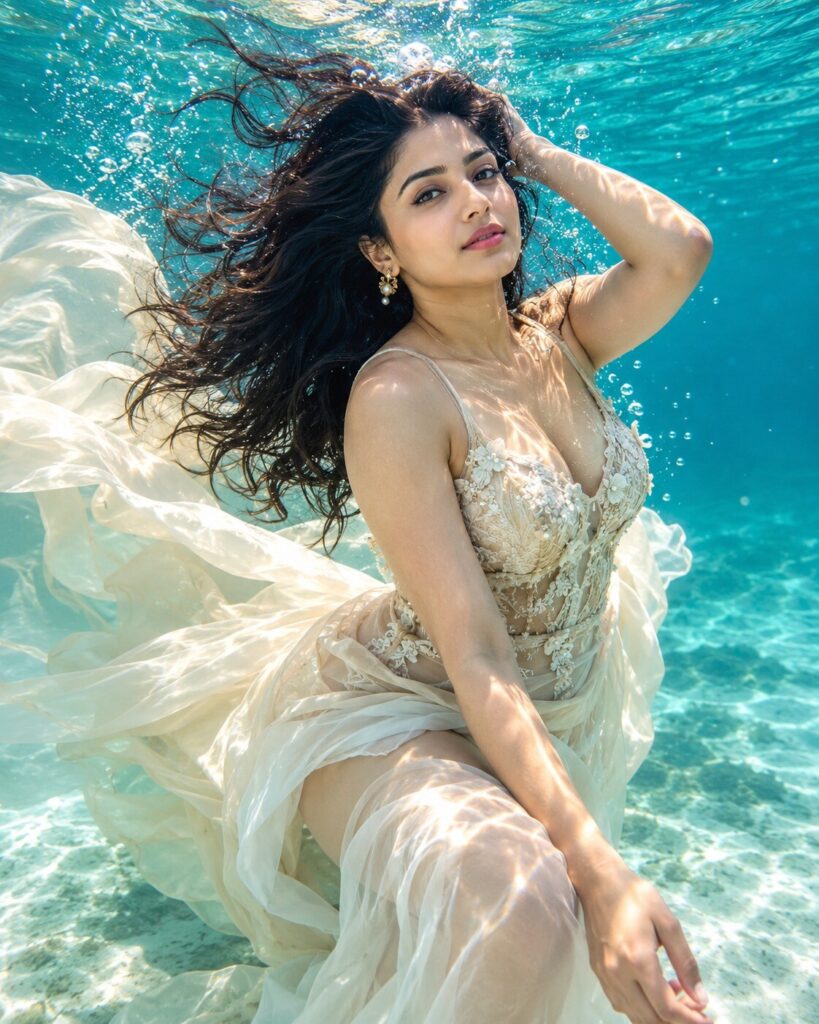
Dreamy Underwater Editorial Portrait
♡ 11Transform a reference photo into a luxurious underwater fashion portrait with flowing fabric, refracted sunlight, bubbles and cinematic aquatic atmosphere.
#Editorial Portrait#AI photo trend#cinematic portrait#editorial portrait#reference image#underwater fashion
Uploaded reference photo of the person, exact identity preserved, underwater luxury fashion portrait, flowing fabric, realistic underwater photography, elegant pose, cinematic editorial styling, crystal-clear turquoise water, natural bubbles, caustic sunlight, realistic wet hair, refined skin texture, premium fashion campaign aesthetic, photorealistic, sophisticated, 4:5.
Uploaded reference photo of the person, exact identity preserved, underwater luxury fashion portrait, flowing fabric, realistic underwater photography, elegant pose, cinematic editorial styling, crystal-clear turquoise water, natural bubbles, caustic sunlight, realistic wet hair, refined skin texture, premium fashion campaign aesthetic, photorealistic, sophisticated, 4:5.
Create a photorealistic luxury underwater editorial portrait based on the uploaded reference image. Lock the person's identity and preserve exact facial geometry, eyes, eyebrows, nose, lips, jawline, cheeks, skin tone, age, hairline and hairstyle. Elegant couture clothing flows naturally through crystal-clear turquoise water. Add realistic bubbles, suspended particles, underwater caustic patterns, soft sun rays from the surface, natural wet hair and physically accurate fabric movement. Premium fashion magazine photography, cinematic realism, refined skin texture, graceful pose, sophisticated color grading, realistic optical refraction, atmospheric depth, high detail, 4:5 portrait.
Transform the uploaded reference photo into a photorealistic underwater fashion editorial portrait. Preserve the exact identity and recognizable likeness of the person, including facial structure, facial proportions, eyes, eyebrows, nose, lips, jawline, cheeks, skin tone, natural age, hairline, hairstyle and distinctive facial characteristics. Show the subject gracefully floating underwater in crystal-clear turquoise water with elegant flowing couture fabric, realistic wet hair, delicate bubbles, suspended particles and beautiful sunlight caustics. Create premium magazine-quality photography with realistic water refraction, cinematic depth, sophisticated styling, natural skin texture and believable fabric movement. Use a vertical 4:5 composition and maintain the person's natural facial expression.
generic face, different person, altered identity, facial reconstruction, changed facial proportions, different eyes, different nose, different lips, altered jawline, changed skin tone, younger face, older face, plastic skin, excessive beauty retouching, distorted anatomy, extra fingers, missing fingers, malformed hands, duplicated limbs, floating body parts, unrealistic fabric physics, cartoon, illustration, painting, CGI look, low detail, blurry face, oversharpened skin, excessive bubbles, murky water, unnatural lighting, flat composition, watermark, text, logo
Works with
✦GPT Image 2.5✦GPT Image 2✦Gemini image models✦Midjourney✦FLUX
Comments