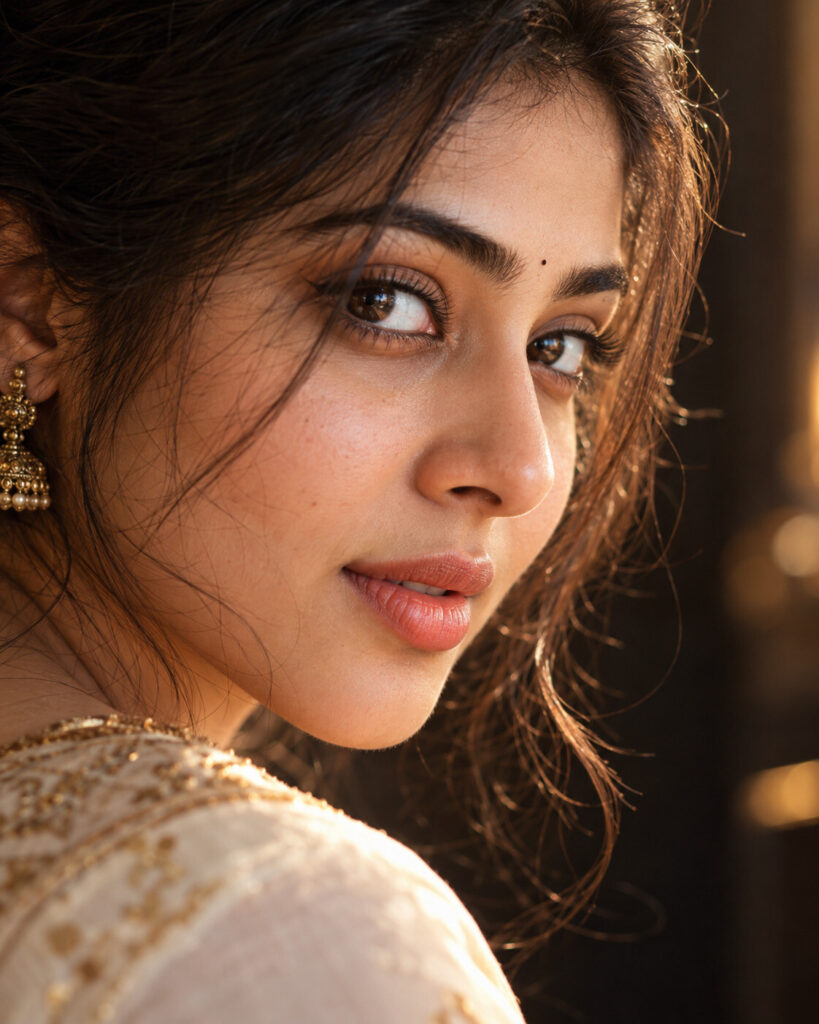
Aesthetic Eyes – Cinematic Reflection Macro Portrait
♡ 11Transform a reference photo into an ultra-realistic cinematic beauty close-up with expressive eyes, natural iris detail, subtle reflections and premium editorial lighting while preserving exact facial identity.
Exact identity-preserving cinematic beauty close-up of the uploaded person, expressive natural eyes, realistic iris texture, subtle warm window reflection in the eye, natural eyelashes, authentic skin pores, a few loose hair strands, three-quarter extreme close-up, premium editorial beauty photography, warm directional key light, soft fill, delicate rim light, dark creamy background bokeh, realistic DSLR photography, shallow depth of field, sophisticated cinematic color grading, highly photorealistic.
Exact identity-preserving cinematic beauty close-up of the uploaded person, expressive natural eyes, realistic iris texture, subtle warm window reflection in the eye, natural eyelashes, authentic skin pores, a few loose hair strands, three-quarter extreme close-up, premium editorial beauty photography, warm directional key light, soft fill, delicate rim light, dark creamy background bokeh, realistic DSLR photography, shallow depth of field, sophisticated cinematic color grading, highly photorealistic.
photorealistic beauty portrait, exact identity preservation, extreme close-up, expressive natural eye, realistic iris texture, natural catchlight, warm reflected window light, detailed eyelashes, natural skin pores, loose hair strands, cinematic editorial photography, warm side lighting, soft fill light, dark background bokeh, 85mm lens look, shallow depth of field, subtle film grain, realistic skin texture, premium magazine beauty photography --ar 4:5 --style raw --stylize 100
Create a photorealistic 4:5 cinematic beauty close-up using the uploaded image as the exact identity reference. Preserve the person's facial identity, proportions, eye shape, eyebrows, nose, lips, jawline, skin tone, hairstyle and natural age. Focus the composition on one expressive eye with realistic iris detail, natural catchlight and a subtle warm window reflection. Preserve natural pores and fine eyelashes. Add a few loose hair strands around the face, warm directional editorial lighting, soft fill, subtle rim separation and a dark creamy bokeh background. The final result should resemble a premium professionally photographed beauty editorial while remaining natural and unmistakably the same person.
changed face, different person, generic face, identity loss, altered facial structure, changed eye shape, oversized eyes, extra eyes, malformed pupils, artificial iris, fantasy eyes, plastic skin, waxy skin, excessive skin smoothing, beauty filter, airbrushed face, distorted nose, distorted lips, warped jaw, deformed eyelashes, duplicate facial features, asymmetrical face, unnatural reflection, excessive glow, CGI, cartoon, illustration, painting, anime, low resolution, blurry eye, oversharpening, excessive HDR, bad anatomy, artifacts, text, logo, watermark
Works with
✦ChatGPT image generation✦Gemini image generation✦Midjourney✦SDXL
Comments