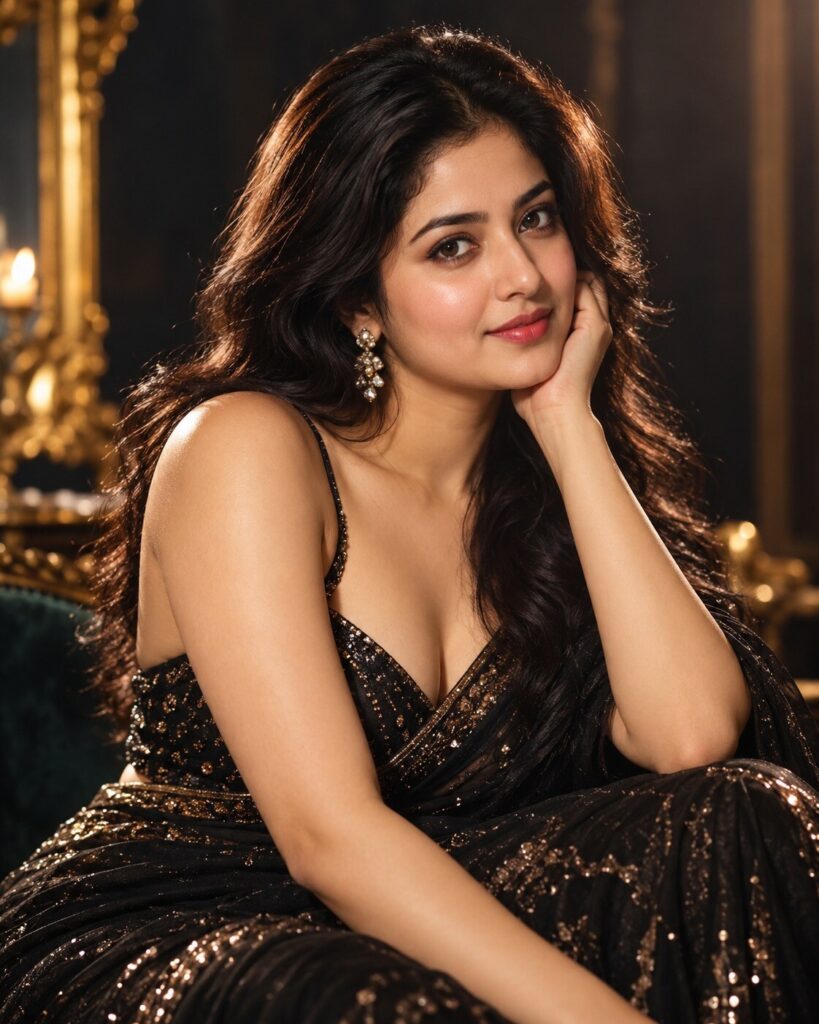
Old Hollywood Glamour Portrait
♡ 8Transform a reference photo into a sophisticated classic-Hollywood glamour portrait with sculpted studio light, elegant styling and cinematic silver-screen atmosphere.
#Beauty Portrait#AI photo trend#beauty photography#cinematic portrait#glamour portrait#old Hollywood
Uploaded reference photo, exact identity preservation, classic Hollywood glamour portrait, timeless cinematic beauty, elegant evening wardrobe, sculpted studio lighting, soft key light, subtle rim light, rich shadows, luminous natural skin, dark luxurious background, medium-format photography, refined filmic tones, restrained grain, premium silver-screen portrait, photorealistic, 4:5.
Uploaded reference photo, exact identity preservation, classic Hollywood glamour portrait, timeless cinematic beauty, elegant evening wardrobe, sculpted studio lighting, soft key light, subtle rim light, rich shadows, luminous natural skin, dark luxurious background, medium-format photography, refined filmic tones, restrained grain, premium silver-screen portrait, photorealistic, 4:5.
Photorealistic classic Hollywood glamour portrait based on the uploaded reference image. Lock the subject's identity and preserve exact facial geometry, eyes, eyebrows, nose, lips, jawline, cheeks, skin tone, natural age, hairline, hairstyle and distinctive features. Elegant timeless evening wardrobe, polished but believable hair styling, sophisticated expression, large soft key light from the side, delicate rim light, controlled shadow, dark luxury studio background, natural skin pores, realistic eyes, medium-format photographic rendering, cinematic tonal range, subtle analog grain, rich blacks, soft highlights, premium editorial beauty photography, 4:5 vertical.
Transform the uploaded reference photograph into a luxurious classic Hollywood glamour portrait while preserving the exact identity and recognizable likeness of the person. Preserve facial structure, facial proportions, eyes, eyebrows, nose, lips, jawline, cheeks, skin tone, natural age, hairline, hairstyle and distinctive facial characteristics. Style the subject in elegant timeless evening fashion and photograph them against a dark luxurious studio background. Use sculpted cinematic studio lighting, a large soft key light, subtle rim light, controlled shadows, luminous natural skin texture and crisp expressive eyes. Create the feeling of a premium golden-age Hollywood publicity portrait photographed with a professional medium-format camera. Add subtle filmic tonal response and delicate grain without making the image look artificially aged. Photorealistic, sophisticated, timeless, vertical 4:5.
generic face, celebrity likeness, different person, altered identity, facial reconstruction, changed facial proportions, different eyes, different nose, different lips, altered jawline, changed skin tone, younger face, older face, excessive face slimming, artificial cheekbones, plastic skin, excessive beauty retouching, waxy skin, distorted anatomy, extra fingers, malformed hands, duplicated limbs, exaggerated makeup, cartoon, illustration, painting, CGI, 3D render, excessive HDR, oversharpening, crushed facial detail, blown highlights, muddy shadows, distracting props, modern selfie aesthetic, watermark, text, logo
Works with
✦GPT Image 2.5✦GPT Image 2✦Gemini image models✦Midjourney✦FLUX
Comments