Aura-Farm Cinematic Portrait
♡ 12Transform a reference photo into a powerful cinematic aura-farm portrait with glowing rim light, atmospheric haze, dramatic framing and exact identity preservation.
#Cinematic Portrait Scenes#atmospheric portrait#aura farm#cinematic portrait#editorial portrait#rim light portrait
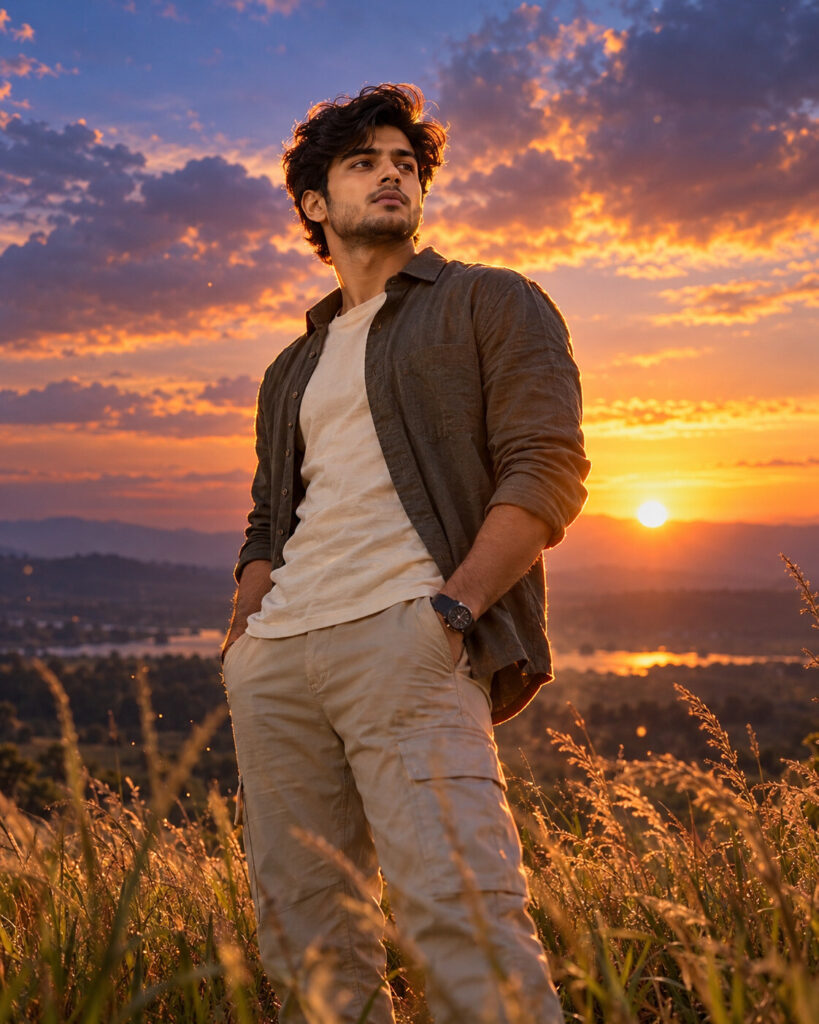
Exact identity-preserving cinematic aura-farm portrait of the uploaded person, dramatic rural landscape at dusk, confident low-angle framing, tall grass, expansive sky, warm sunset key light, cool blue-violet rim light, subtle glowing contour around hair and shoulders, volumetric haze, restrained floating particles, neutral luxury clothing, natural skin texture, cinematic contrast, subtle film grain, premium fashion-film photography, photorealistic.
Exact identity-preserving cinematic aura-farm portrait of the uploaded person, dramatic rural landscape at dusk, confident low-angle framing, tall grass, expansive sky, warm sunset key light, cool blue-violet rim light, subtle glowing contour around hair and shoulders, volumetric haze, restrained floating particles, neutral luxury clothing, natural skin texture, cinematic contrast, subtle film grain, premium fashion-film photography, photorealistic.
exact identity preservation, aura-farm aesthetic, cinematic rural portrait, dramatic rim lighting, warm sunset, blue-violet edge light, volumetric haze, tall grass, expansive landscape, confident low angle, premium fashion editorial, natural skin texture, subtle film grain, photorealistic --ar 4:5 --style raw --stylize 125
Create a photorealistic 4:5 cinematic aura-farm portrait using the uploaded image as the exact identity reference. Preserve the person's facial identity, facial structure, facial proportions, eyes, eyebrows, nose, lips, jawline, cheeks, skin tone, hairline, hairstyle, distinctive facial characteristics and natural age. Place the same person in an expansive rural landscape at dusk with tall grass, distant hills and a dramatic sky. Use a confident low-angle composition, warm amber sunset illumination and a restrained cool blue-violet rim light outlining the hair and shoulders. Add subtle atmospheric haze and a few realistic illuminated particles. Keep the subject's skin natural with visible pores and realistic texture. Dress the subject in understated contemporary neutral-toned fashion. Finish with cinematic contrast, detailed shadows, controlled highlights and subtle film grain.
different person, changed face, generic face, identity loss, altered facial structure, changed eye shape, enlarged eyes, distorted nose, distorted lips, warped jaw, plastic skin, waxy skin, excessive beauty retouching, artificial skin, fantasy face, exaggerated muscles, distorted body, extra limbs, deformed hands, excessive glow, extreme neon, oversaturated colors, fantasy landscape, cartoon, anime, illustration, CGI, low resolution, blurry face, excessive HDR, oversharpening, fake lens flare, text, logo, watermark
Works with
✦ChatGPT image generation✦Gemini✦Midjourney✦SDXL


Comments