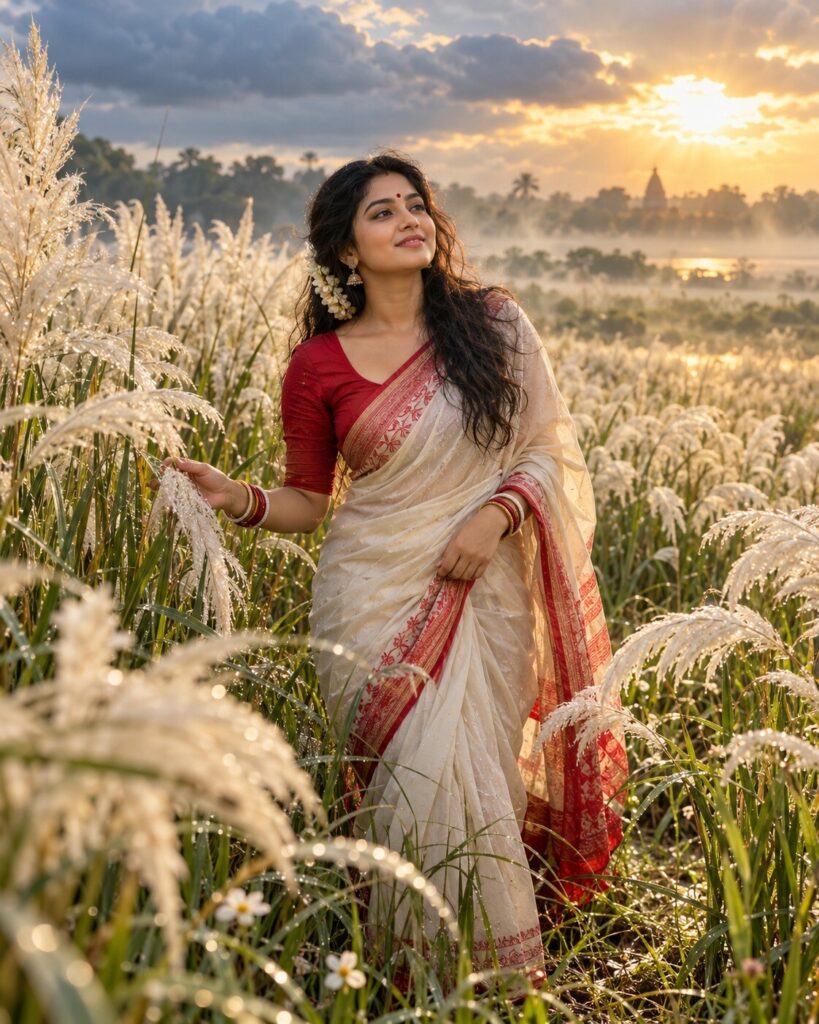
Kash Phool After Rain — The First Morning of Sharad
♡ 7Create a dreamy Agomoni portrait among dew-covered kash phool after rain, with autumn mist, clearing clouds and soft golden morning light.
Use the uploaded reference image as the exact identity anchor. Preserve the person’s recognizable facial identity, facial structure, proportions, eyes, eyebrows, nose, lips, jawline, cheeks, skin tone, hairline, hairstyle, distinctive features and natural age. Create a photorealistic cinematic Bengali autumn portrait immediately after rain in a vast kash phool field. The subject walks naturally among tall white kans flowers covered with realistic water droplets, wearing elegant authentic Bengali traditional clothing with subtly damp fabric edges. Add low morning mist, wet grass and soil, gray-blue clouds opening toward warm golden sunlight, delicate backlighting through the kash plumes and a few subtle shiuli flowers. Convey the freshness of Sharad, Agomoni and anticipation for Durga Puja. Natural skin texture, realistic textile fibers, cinematic atmospheric depth, premium editorial photography, vertical 4:5.
Use the uploaded reference image as the exact identity anchor. Preserve the person’s recognizable facial identity, facial structure, proportions, eyes, eyebrows, nose, lips, jawline, cheeks, skin tone, hairline, hairstyle, distinctive features and natural age. Create a photorealistic cinematic Bengali autumn portrait immediately after rain in a vast kash phool field. The subject walks naturally among tall white kans flowers covered with realistic water droplets, wearing elegant authentic Bengali traditional clothing with subtly damp fabric edges. Add low morning mist, wet grass and soil, gray-blue clouds opening toward warm golden sunlight, delicate backlighting through the kash plumes and a few subtle shiuli flowers. Convey the freshness of Sharad, Agomoni and anticipation for Durga Puja. Natural skin texture, realistic textile fibers, cinematic atmospheric depth, premium editorial photography, vertical 4:5.
Photorealistic cinematic Bengali autumn portrait using the uploaded reference image as the exact identity reference. Preserve exact facial identity, facial structure, proportions, eyes, eyebrows, nose, lips, jawline, cheeks, skin tone, hairline, hairstyle, distinctive features and natural age. Vast kash phool field immediately after rain, white kans flowers covered in realistic water droplets, subject walking naturally through wet grass, elegant authentic Bengali traditional clothing with subtle damp texture, low morning mist, wet soil, gray-blue clouds opening toward warm golden sunlight, natural backlighting through flowers, gentle wind, subtle shiuli flowers, distant green Bengal landscape, realistic skin pores and textile fibers, cinematic atmospheric depth, premium editorial photography, physically realistic lighting, vertical 4:5.
Use the uploaded reference photo as the exact identity reference and preserve the person’s recognizable identity without changing their face. Create a photorealistic cinematic portrait of the same person walking through a vast Bengal kash phool field immediately after an autumn morning rain. The white kans flowers should be covered in tiny realistic water droplets. Dress the person in elegant authentic Bengali traditional clothing with subtle damp edges. Add low mist over wet grass, a few shiuli flowers in the foreground and a dramatic gray-blue sky opening to reveal soft golden sunlight. The sunlight should naturally illuminate the kash flowers and create gentle rim light around the subject. The mood should express the freshness of Sharad, Agomoni and quiet anticipation for Durga Puja. Keep the person’s face sharp, natural and completely recognizable. Make the image look like a premium cinematic outdoor photograph captured immediately after rain in rural Bengal. Vertical 4:5.
different person, altered identity, generic face, face swap, changed facial structure, changed facial proportions, changed eyes, changed eyebrows, changed nose, changed lips, changed jawline, changed cheeks, changed skin tone, changed age, beauty filter, plastic skin, excessive smoothing, artificial rain, fake water droplets, fantasy clouds, exaggerated god rays, supernatural glow, glowing flowers, excessive flowers, artificial field, western clothing, inaccurate Bengali clothing, modern buildings, city skyline, CGI, 3D render, cartoon, anime, illustration, oversaturated colors, excessive lens flare, distorted hands, extra fingers, extra limbs, duplicate person, text, logo, watermark
Works with
✦Google Gemini✦ChatGPT image generation✦Midjourney✦FLUX✦SDXL




Comments