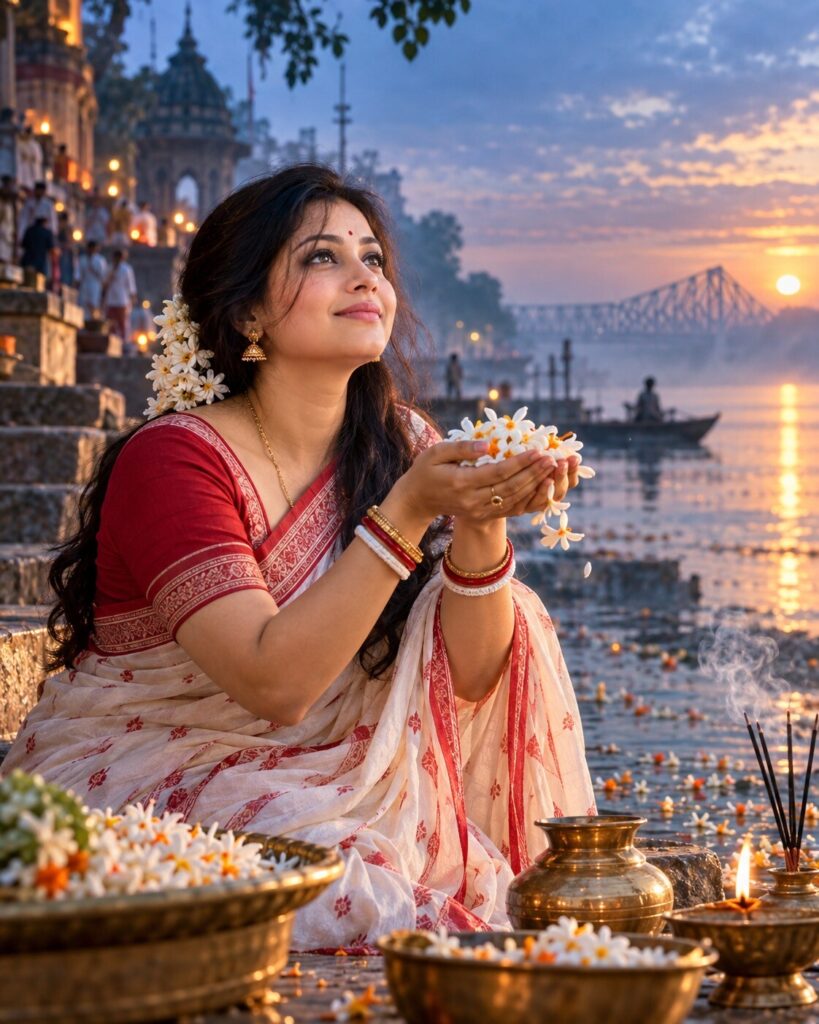
Mahalaya Dawn — Agomoni by the Ganges
♡ 58Create a cinematic Mahalaya portrait with your exact identity preserved, surrounded by mist, shiuli flowers and the quiet dawn atmosphere of Agomoni.
Use the uploaded reference image as the exact identity anchor. Preserve the person’s recognizable facial identity, facial structure, proportions, eyes, eyebrows, nose, lips, jawline, cheeks, skin tone, hairline, hairstyle, distinctive features, natural age and overall likeness. Create a photorealistic cinematic Mahalaya dawn portrait beside the misty Ganges in Bengal, with authentic Bengali traditional attire, white shiuli flowers, subtle incense smoke, quiet devotional atmosphere, soft pre-dawn blue light transitioning into warm sunrise, natural skin and fabric texture, realistic environmental details, shallow depth of field and premium editorial photography. Convey the emotional feeling of Agomoni and the arrival of Devi Paksha. Vertical 4:5.
Use the uploaded reference image as the exact identity anchor. Preserve the person’s recognizable facial identity, facial structure, proportions, eyes, eyebrows, nose, lips, jawline, cheeks, skin tone, hairline, hairstyle, distinctive features, natural age and overall likeness. Create a photorealistic cinematic Mahalaya dawn portrait beside the misty Ganges in Bengal, with authentic Bengali traditional attire, white shiuli flowers, subtle incense smoke, quiet devotional atmosphere, soft pre-dawn blue light transitioning into warm sunrise, natural skin and fabric texture, realistic environmental details, shallow depth of field and premium editorial photography. Convey the emotional feeling of Agomoni and the arrival of Devi Paksha. Vertical 4:5.
Photorealistic cinematic Mahalaya dawn portrait using the uploaded reference image as the exact identity reference, preserve exact recognizable facial identity and facial structure, same eyes, eyebrows, nose, lips, jawline, cheeks, skin tone, hairline, hairstyle, distinctive features and natural age, authentic Bengali traditional attire, misty Ganges riverbank before sunrise, white shiuli flowers, subtle incense smoke, quiet Agomoni devotional atmosphere, soft blue dawn light mixed with warm golden sunrise rim light, realistic skin pores, natural textile texture, refined jewelry, three-quarter portrait, 85mm photographic look, shallow depth of field, atmospheric haze, premium editorial photography, natural expression, realistic Bengal environment, vertical 4:5.
Use the uploaded reference photo as the exact identity reference and preserve the person’s recognizable identity without changing the face. Create a photorealistic cinematic Mahalaya dawn portrait beside the misty Ganges in Bengal. Dress the same person in elegant authentic Bengali traditional attire. Add delicate white shiuli flowers, subtle incense smoke, soft river mist and understated devotional details that evoke Agomoni and the beginning of Devi Paksha. Use quiet pre-dawn blue light transitioning into warm golden sunrise, realistic skin and fabric textures, natural expression, refined jewelry and shallow depth of field. Make it look like a premium real editorial photograph captured on location in Bengal. Vertical 4:5 composition.
different person, altered identity, generic face, facial distortion, face swap artifacts, changed facial structure, changed skin tone, changed age, beauty filter, plastic skin, excessive skin smoothing, unrealistic eyes, asymmetrical face, deformed hands, extra fingers, missing fingers, extra limbs, duplicate person, fantasy CGI, cartoon, illustration, anime, 3D render, artificial environment, oversaturated colors, excessive makeup, excessive jewelry, western festival styling, garba, dandiya, inaccurate Bengali clothing, text, typography, logo, watermark, low resolution, blur on face, unnatural expression
Works with
✦Google Gemini✦ChatGPT image generation✦Midjourney✦FLUX✦SDXL




Comments